If you just received a PDF reward and are looking to redeem it, here's all you need to know! Since Wishlist already syncs with your employer's system, we have everything we need, so all you'll need to do is pick a password and set your account preferences and that's it!
Your PDF reward will include three things:
• A reward code
• A barcode
• A link
The barcode and the link will both take you to the login page, while the reward code comes in handy when you add the funds directly to your wallet.
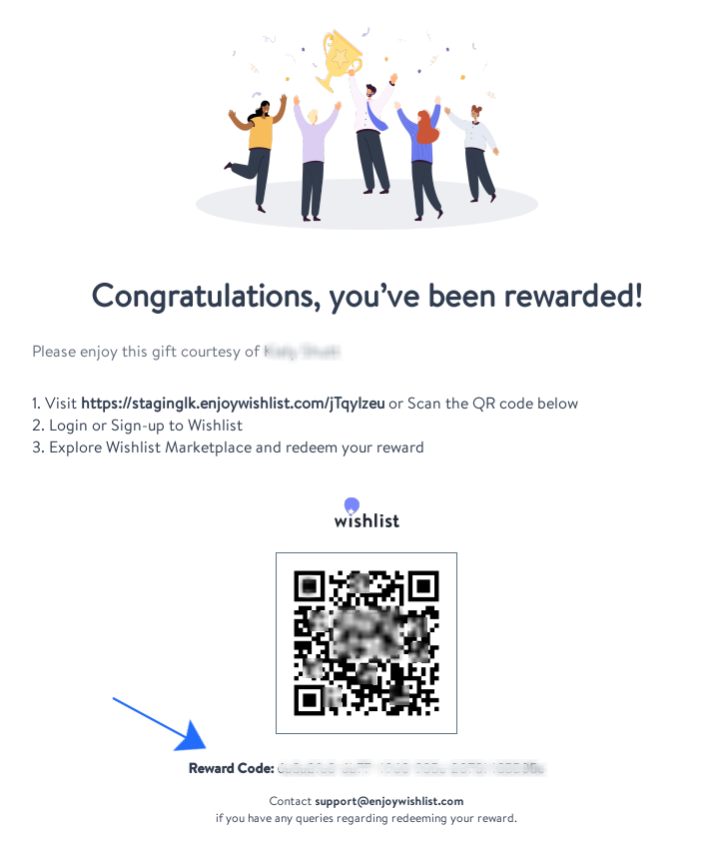
Click the link in your PDF or Scan the QR code below to go to the Wishlist login page, you can use Desktop or Mobile. This will redirect you to the Wishlist Login page.
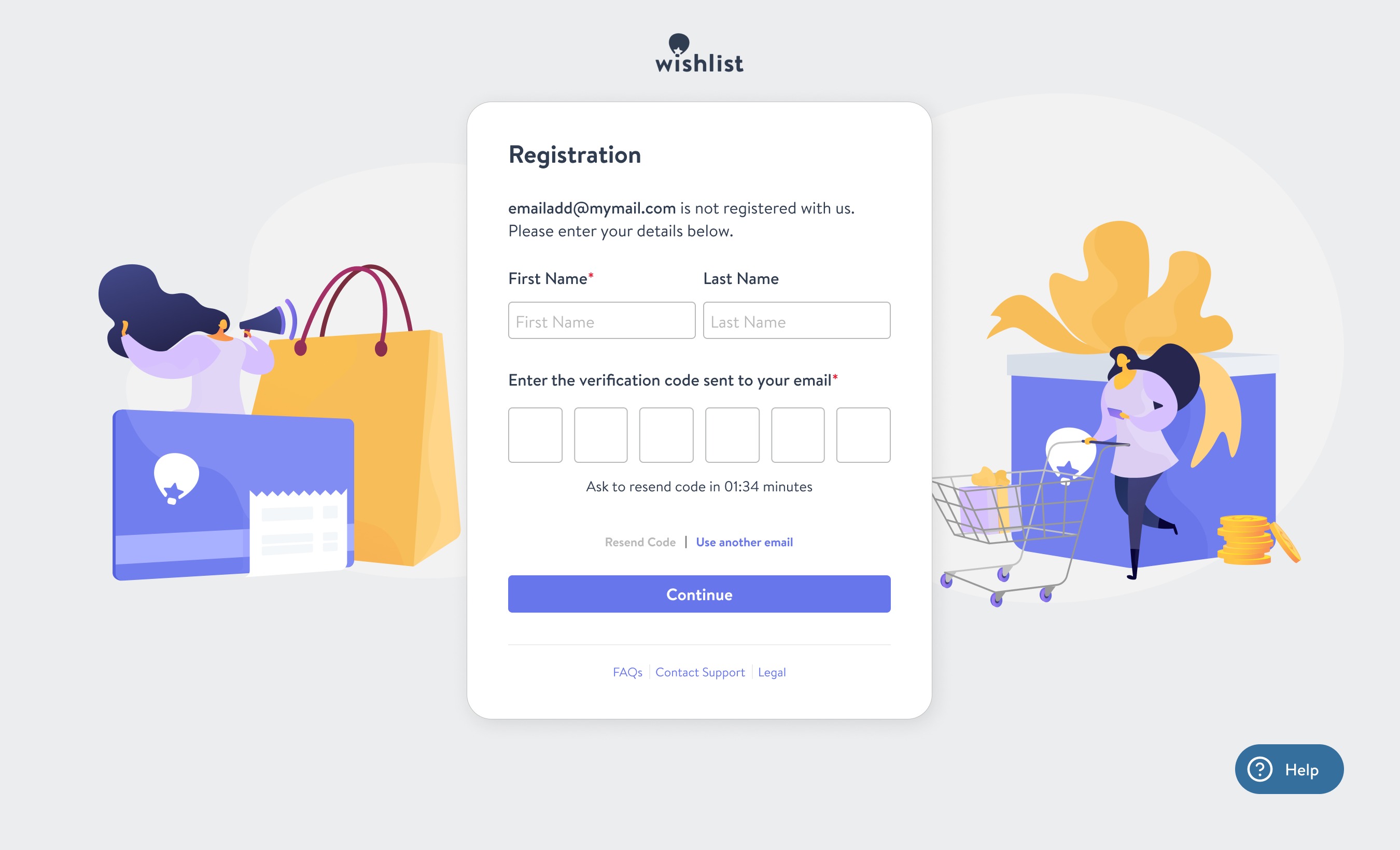
Enter your email address or phone number, then click Continue to proceed to the Registration step, where you will be required to enter your First Name, Last Name, and type in the OTP (one-time passcode) sent to the email address you entered:
The OTP email will look something like this.
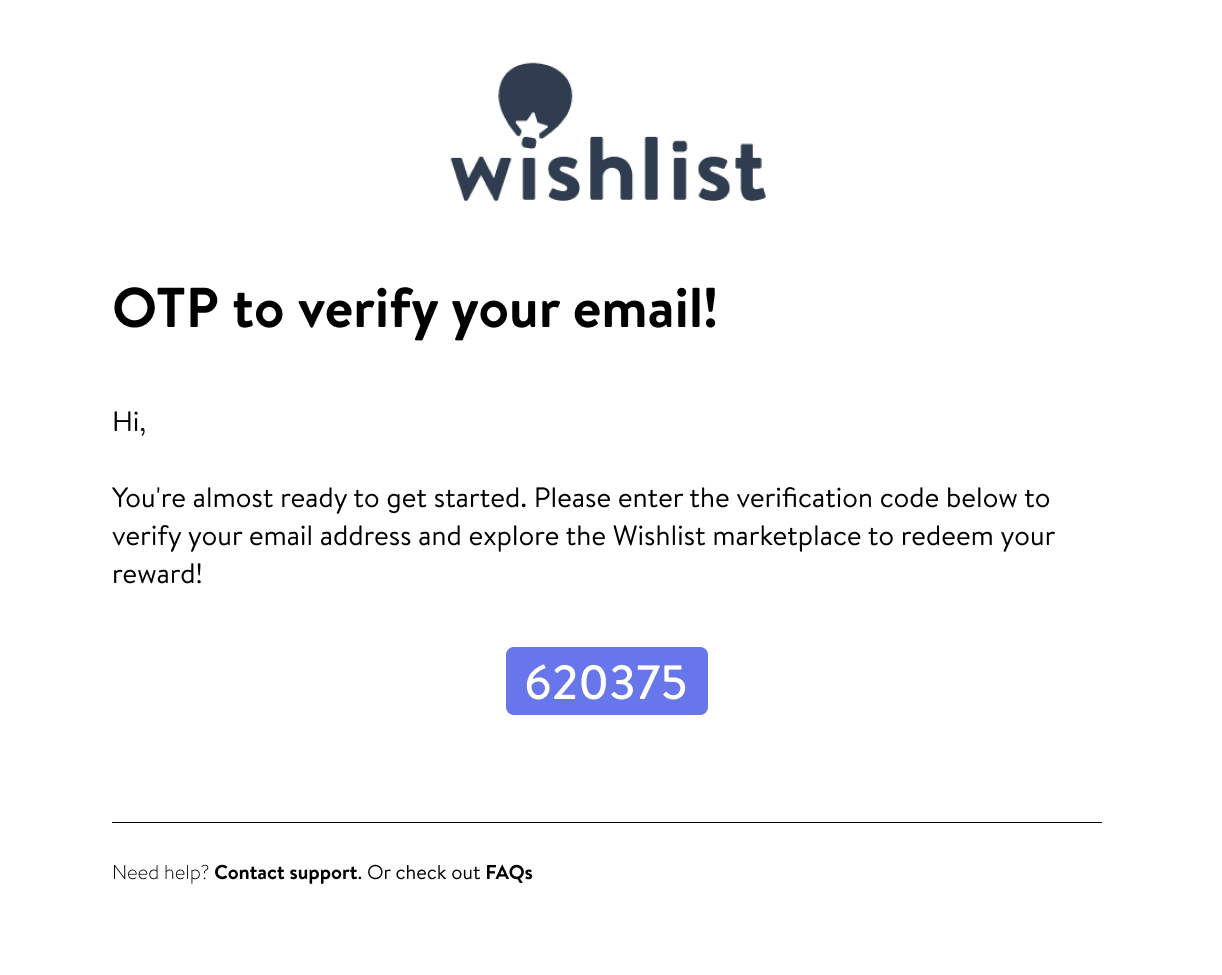
Just enter the digits, and once you've entered the correct OTP, you'll be taken to the password setup page. Once you're all signed up, you'll be logged straight into the Wishlist portal and can start spending your reward right away! Enjoy.