Recognition is not a one-way street with Wishlist! When you receive a Reward, you have the ability to send a Thank You Note to your Reward Sender.
To do so, go to the Rewards page and then the My Rewards tab. From here you will be able to see all the Rewards you have received. Click the Kebab Menu of the Reward you wish to send a Thank You Note for.
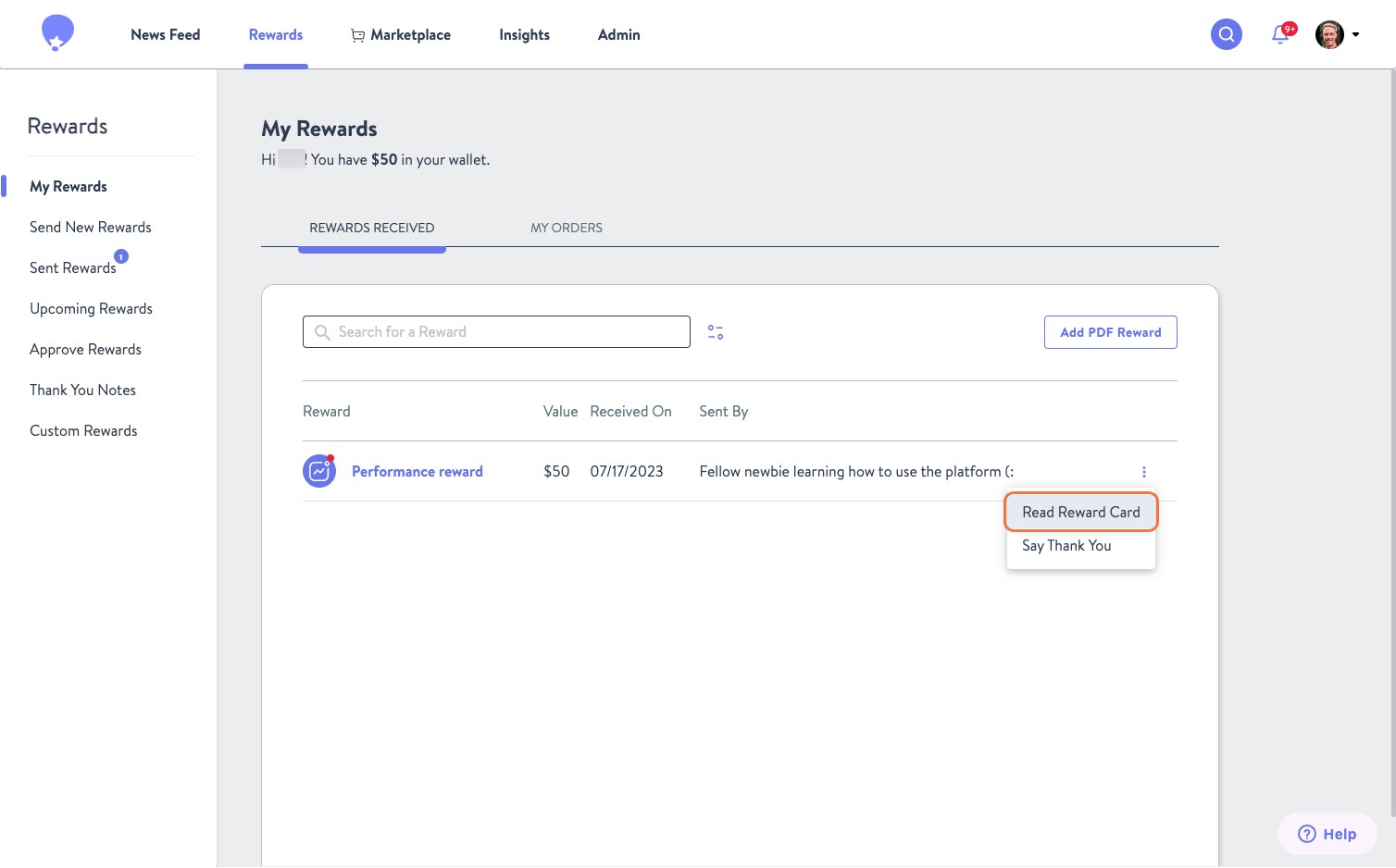
Whether your week has been packed or you’ve been on a roll collecting Rewards, it’s easy to check what you were recognized for. Just click Read Reward Card to view the note that came with your Reward.
Ready to send a thank-you message instead? Click Say Thank You to jump right in.
And don’t worry—if you start by reading the Reward Card, you’ll still have the option to say thanks from there!
Now that you're all caught up, Say Thank You. Once you've typed in your message click the purple Send button.
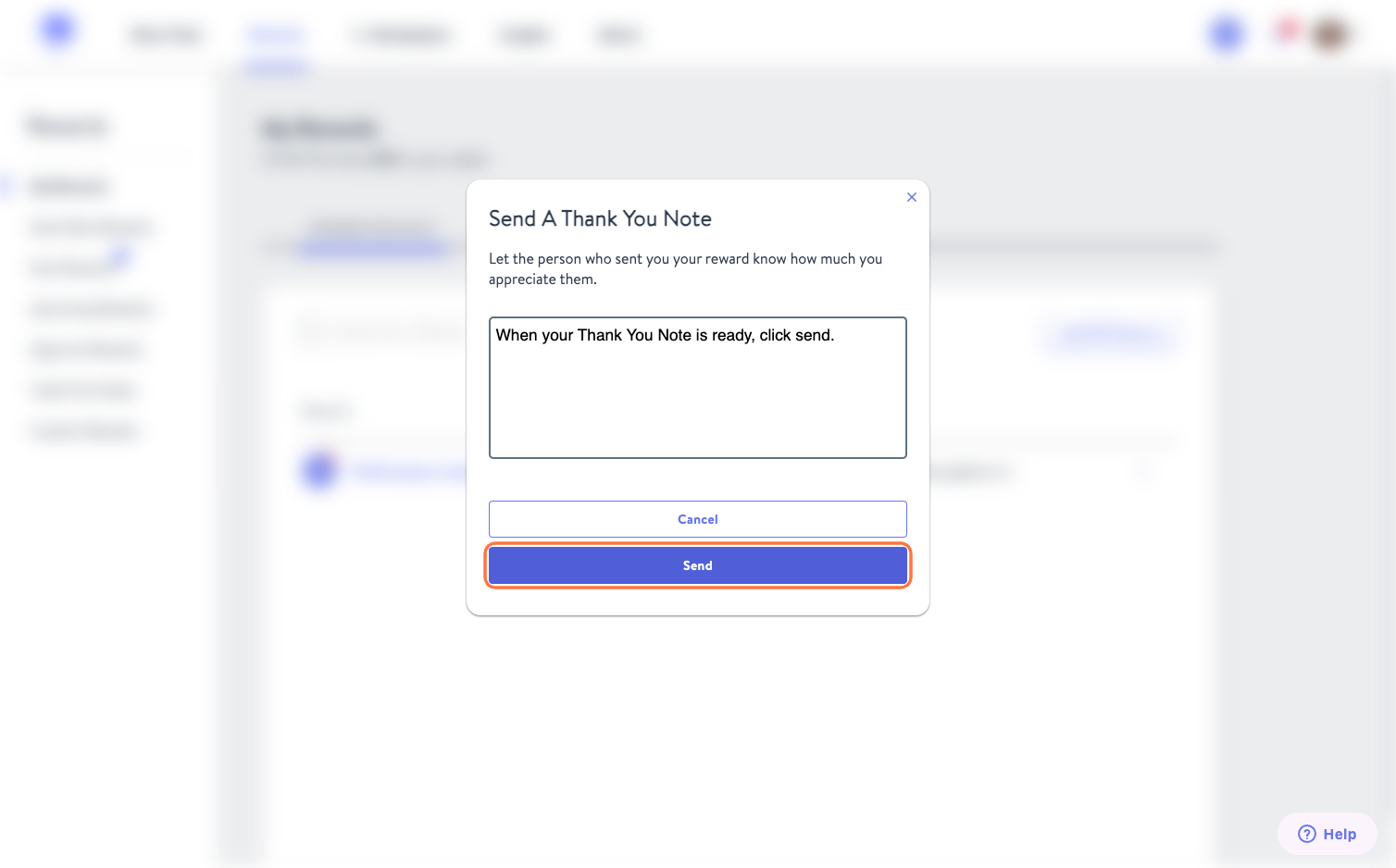
You've now thanked your colleague for the Reward they sent you!