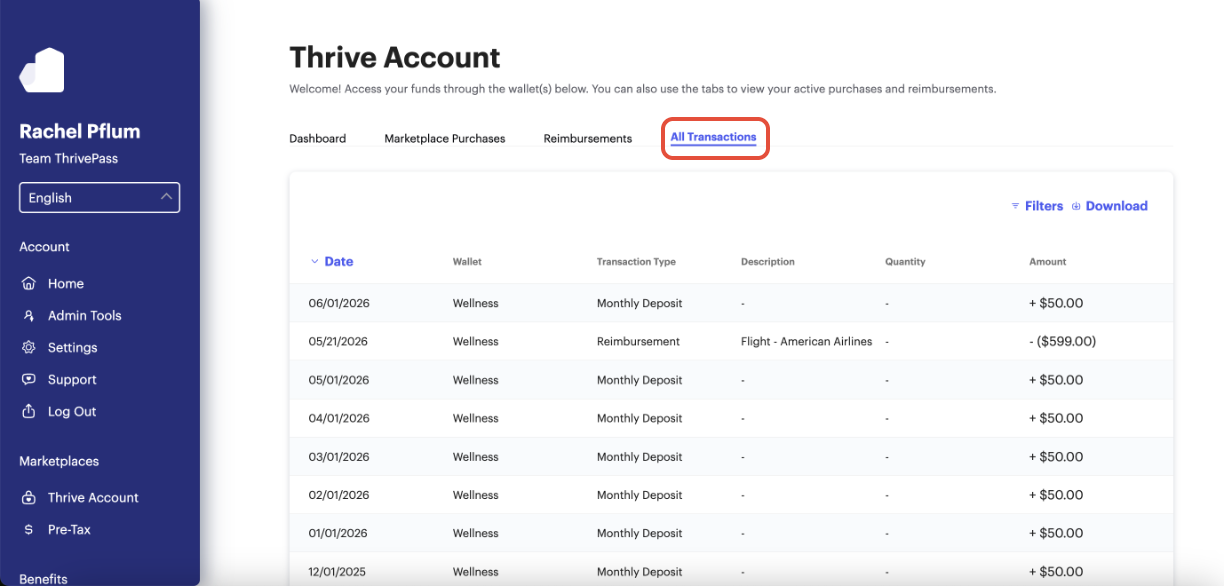
To view all activity on your account—including deposits, rewards, reimbursements, and purchases—follow these steps:
- Log in to your Thrive Account
- Click the Thrive Account tile
- Select the All Transactions tab at the top
Was this article helpful?
That’s Great!
Thank you for your feedback
Sorry! We couldn't be helpful
Thank you for your feedback
Feedback sent
We appreciate your effort and will try to fix the article