Your employer determines if your Thrive Account funds expire. Please review the program specific FAQs to learn more.
How to locate fund expiration date?
If your funds are set to forfeit, you can locate your funds expiration date by following below steps:
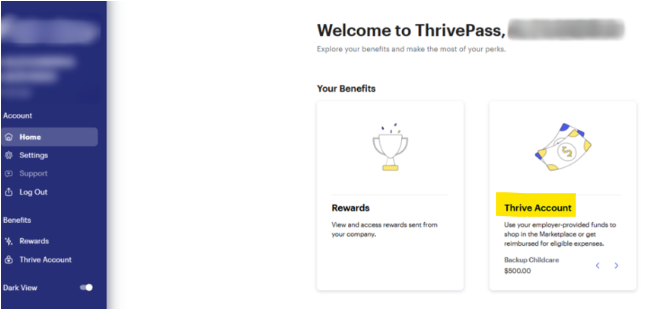
- Log in to your ThrivePass account, then click on the Thrive Account tile.
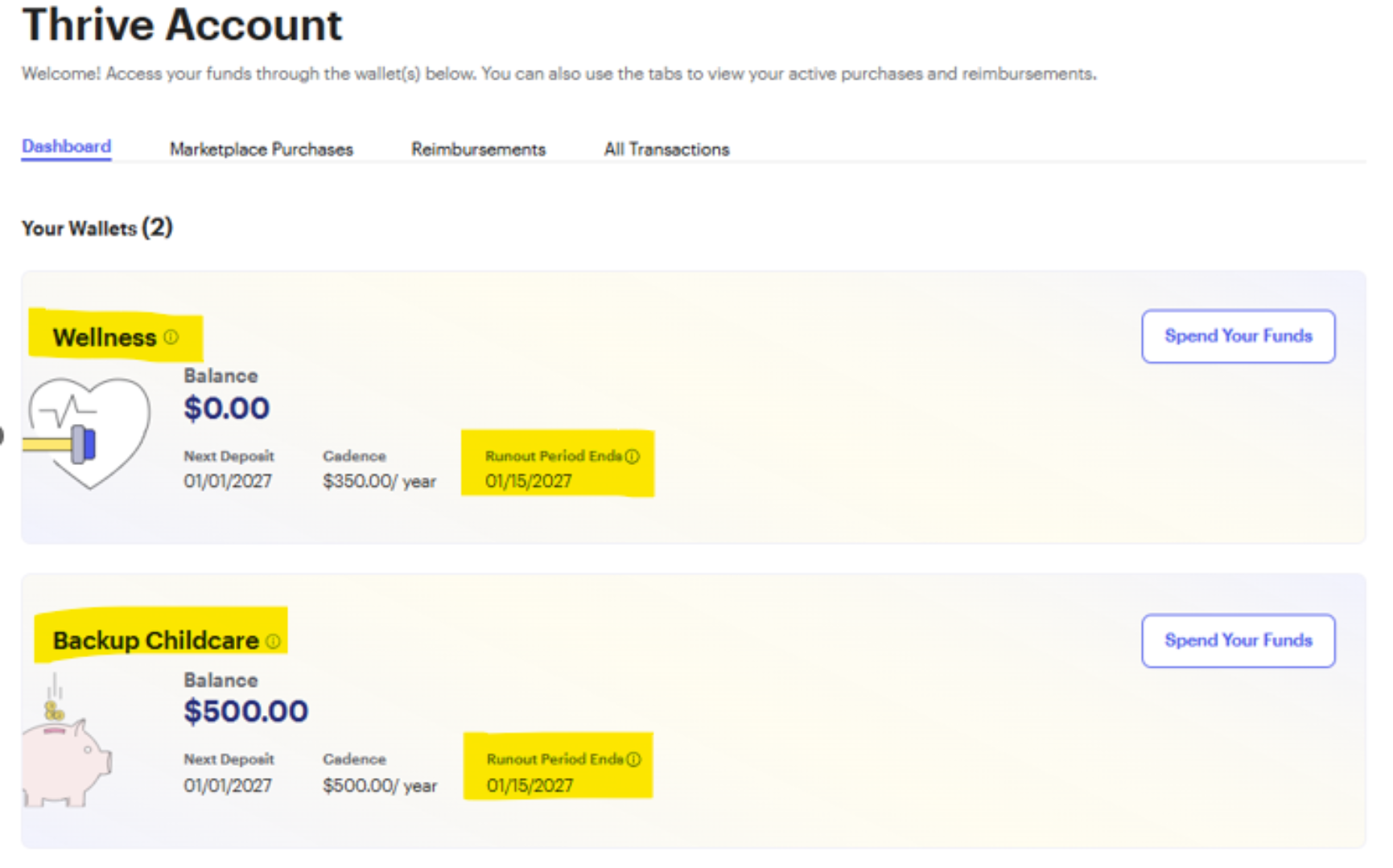
- You will see the number of active wallets (e.g., two wallets as shown below). Click on the wallet to view its details.
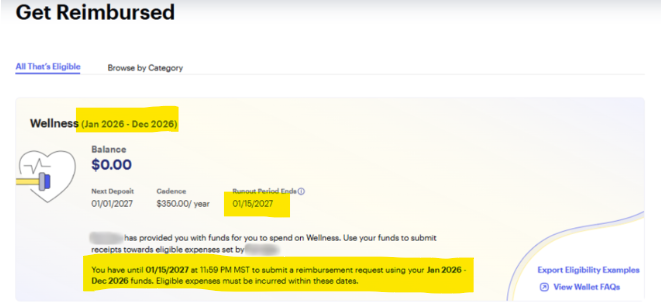
- The wallet details include the plan period, run-out date, and guidelines for submitting a request before the forfeiture deadline.
Was this article helpful?
That’s Great!
Thank you for your feedback
Sorry! We couldn't be helpful
Thank you for your feedback
Feedback sent
We appreciate your effort and will try to fix the article