This article explains how to purchase a gift card through the ThrivePass Marketplace. Please note that Marketplace access may vary based on your program guidelines and may not be available to all users.
To access and shop the Marketplace:
- Log in to your Thrive Account.
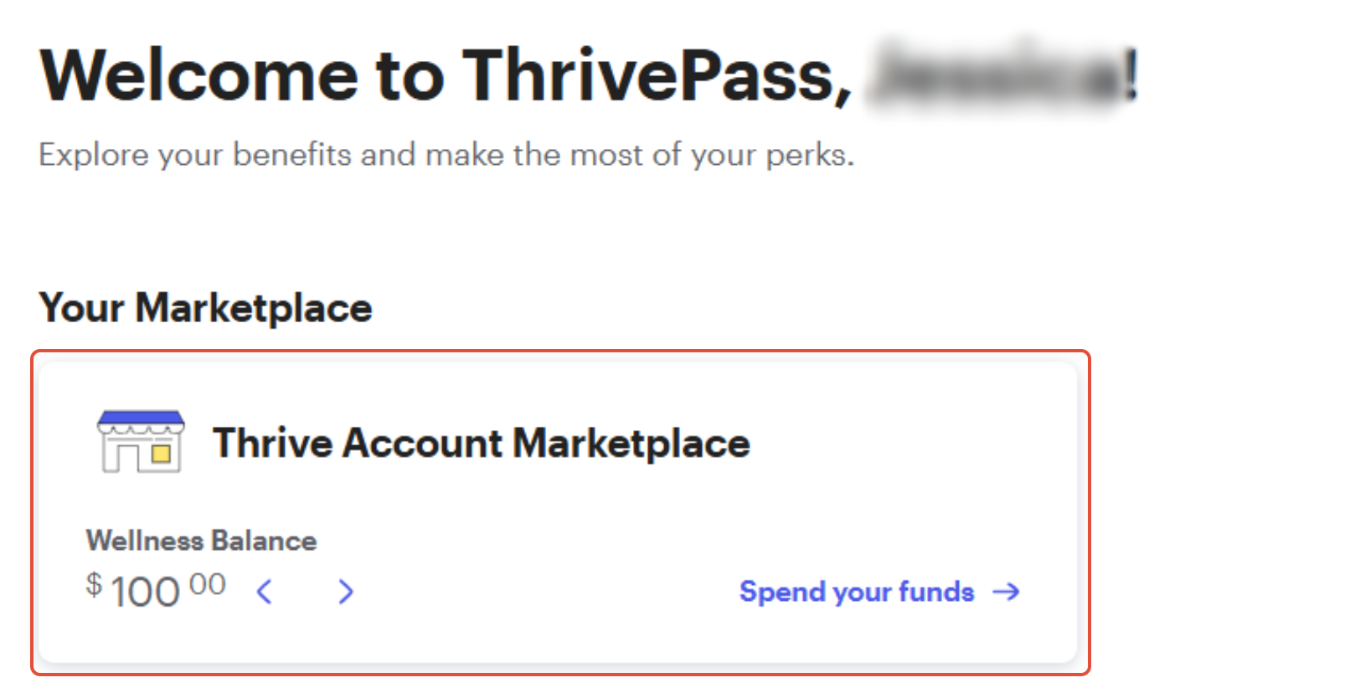
- Click on "Spend Your Funds" under the "Your Marketplace" section, and you’ll be able to browse all available items.
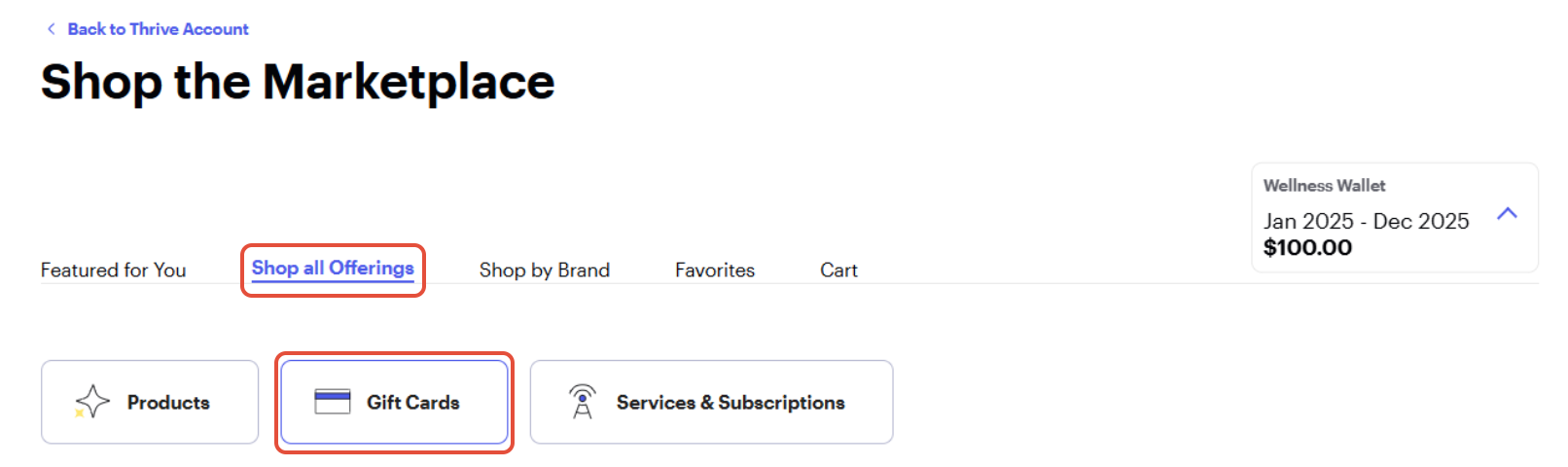
- Select “Shop All Offerings”, then choose “Gift Cards”.
- Pick your desired gift card and complete the checkout process.
Once your purchase is confirmed, you’ll receive a confirmation email. Please allow 1–3 business days for your gift card to be delivered to your Thrive Account.
For help accessing your gift card after purchase, please refer to the related article: How to Receive and Access Your Marketplace Gift Card
Was this article helpful?
That’s Great!
Thank you for your feedback
Sorry! We couldn't be helpful
Thank you for your feedback
Feedback sent
We appreciate your effort and will try to fix the article