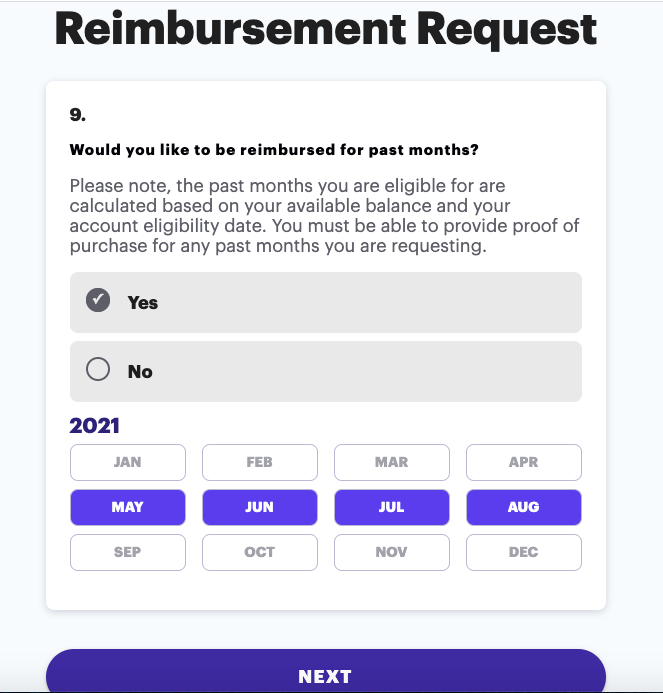
Our system will detect if you are eligible for previous months reimbursement. This is dependent on when your Thrive Account invitation was sent, the amount of funds in that wallet, and if the subsidy expires at the end of the year
1. Access your Thrive Account
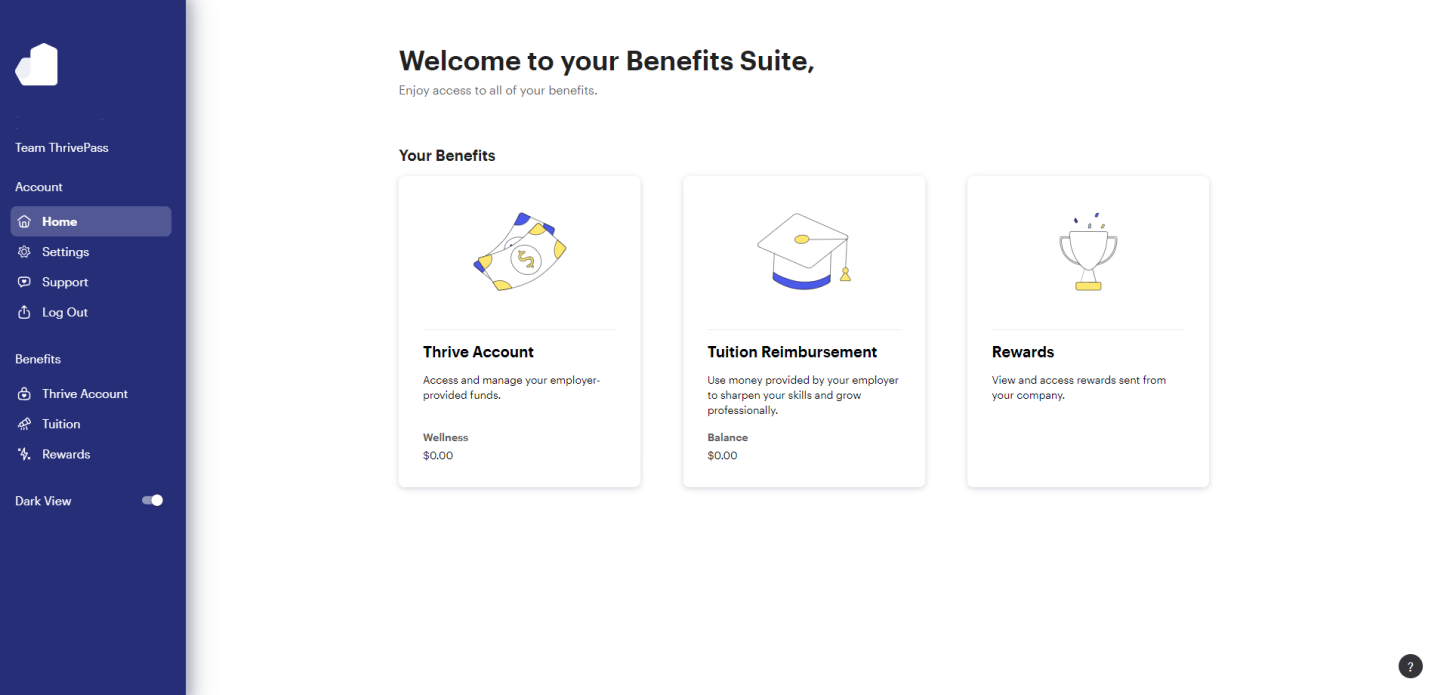
2. Select the wallet you'd like to submit reimbursement under
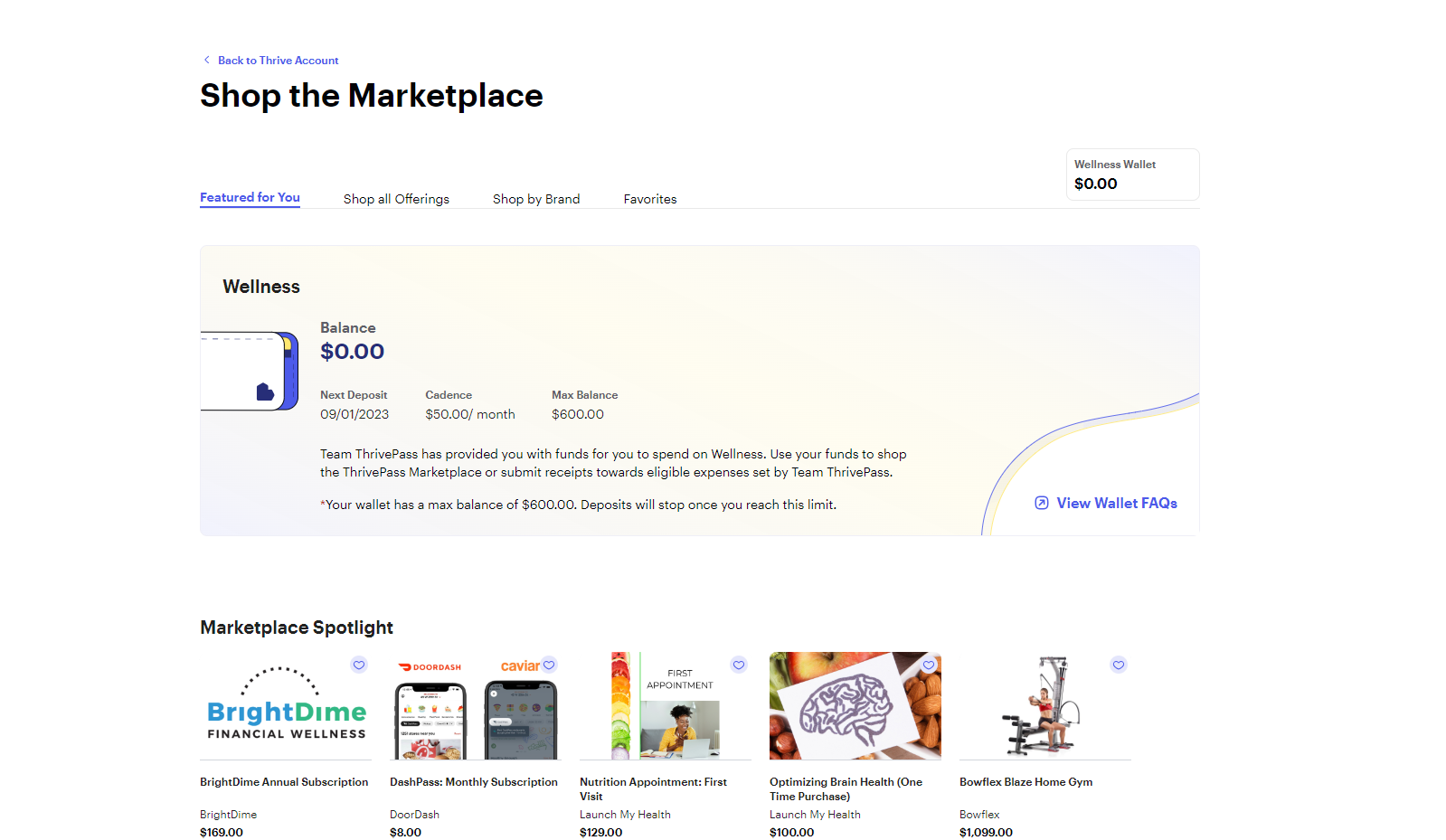
3. Scroll down and click "Get Reimbursed"
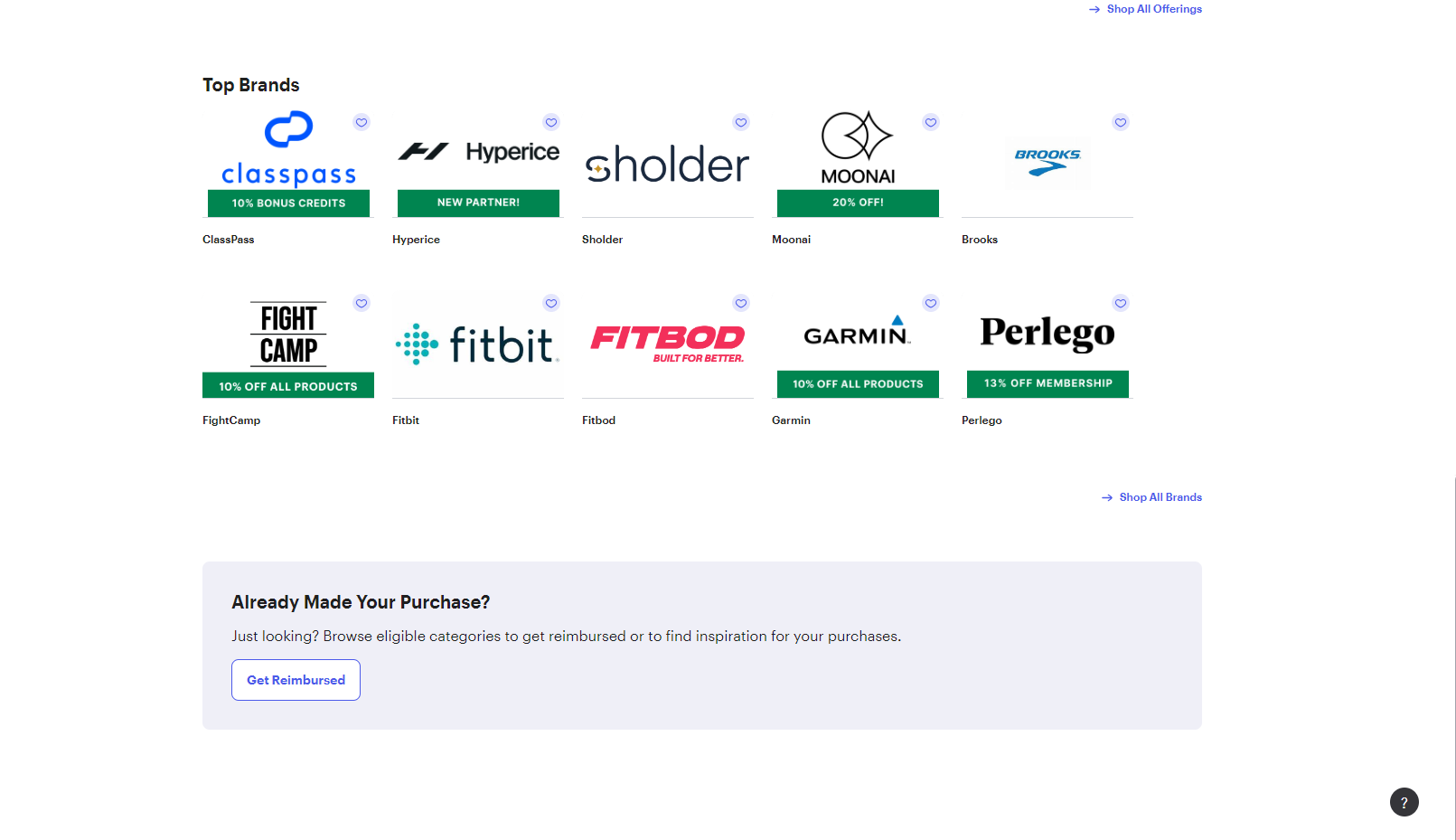
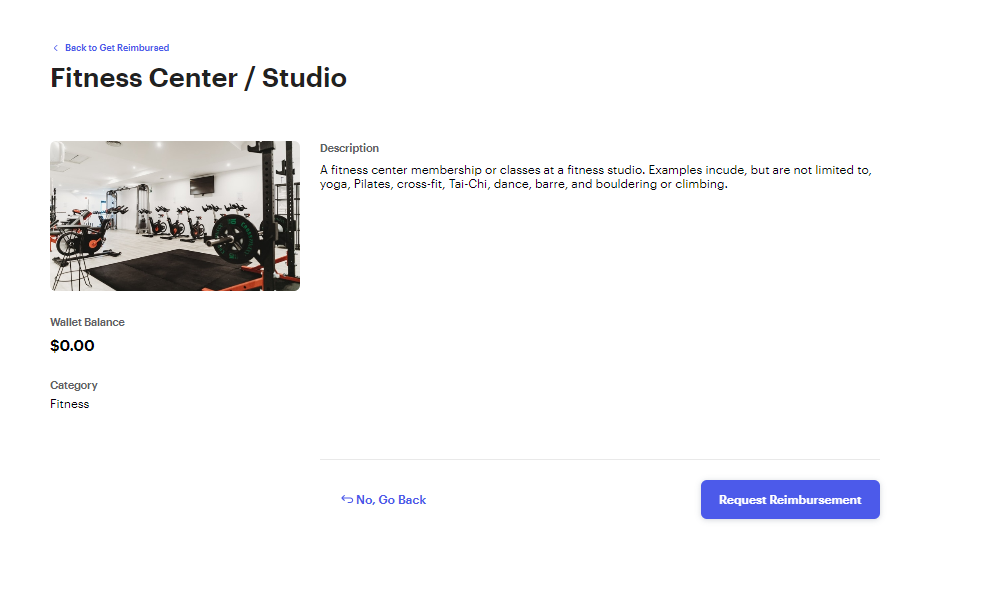
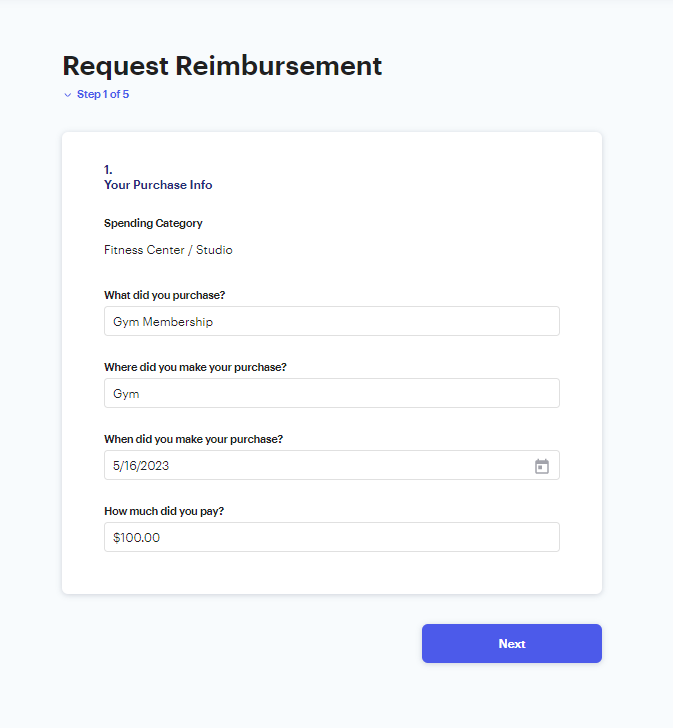
4. Select the category that your purchase is eligible under

5. Confirm the spending category.
6. Enter information about the item, merchant and date of purchase
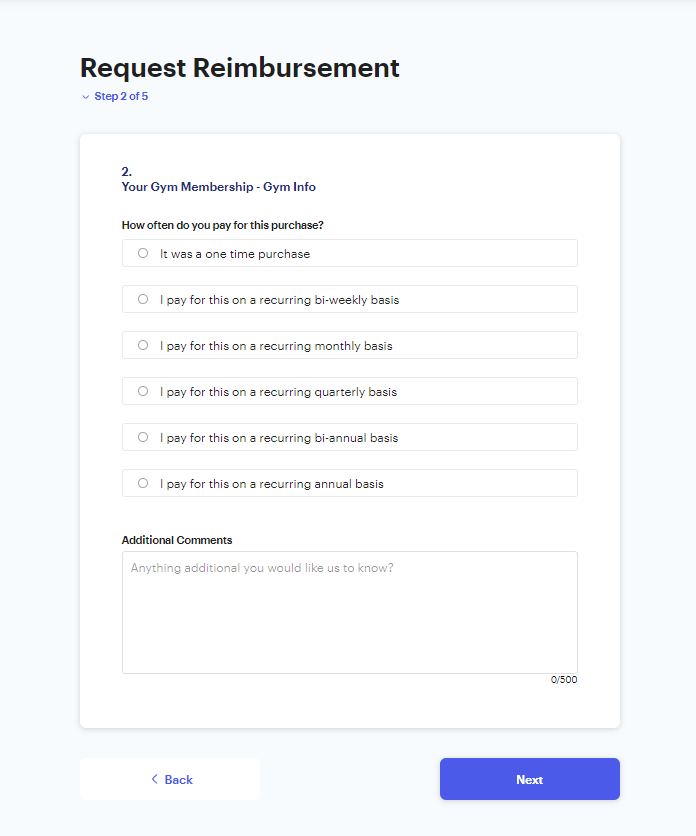
7. Enter how often you pay for this expense.
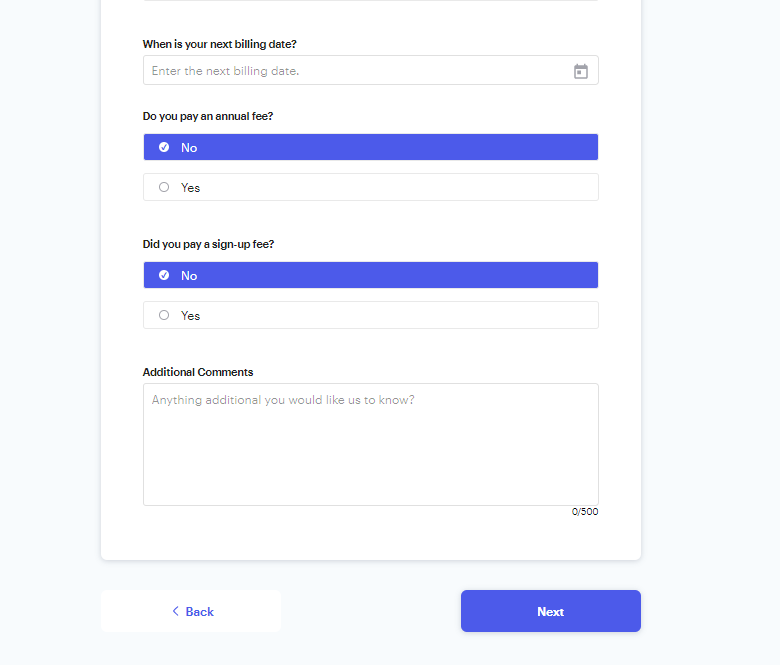
8. Enter the next date of purchase for this expense, and if you pay for an annual fee, or sign-up fee enter the amounts (If applicable).
9. If you are eligible to receive reimbursement for previous months, it will populate below. Make sure to select "Yes" if you'd like to receive reimbursement for past months.
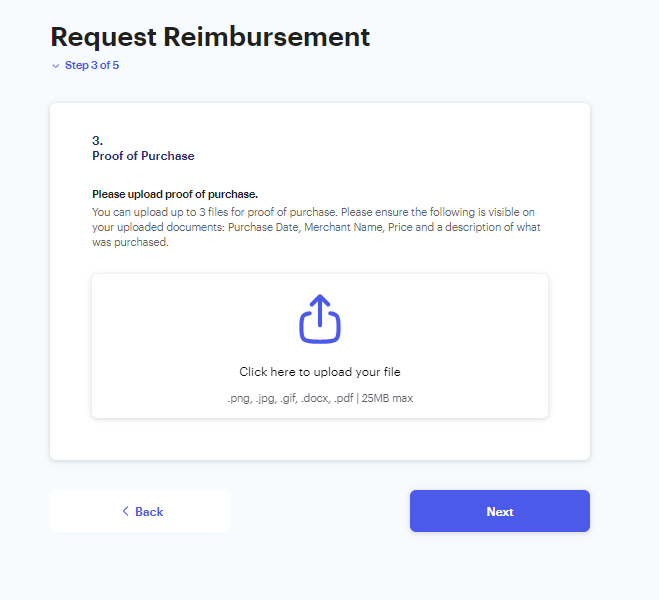
10. Upload proof of purchase with a document showing what was purchased, cost, date, and merchant.
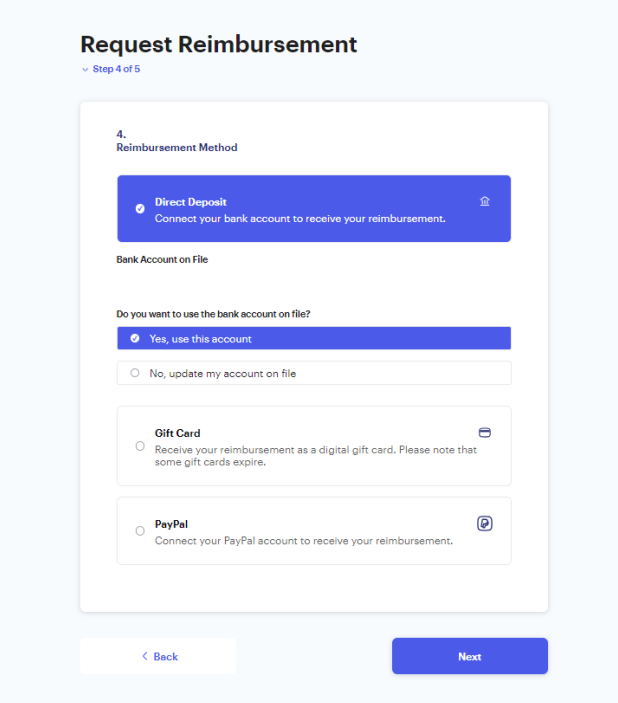
11. Select how you would like to be reimbursed
12. Click "Submit Request" to submit your reimbursement request.
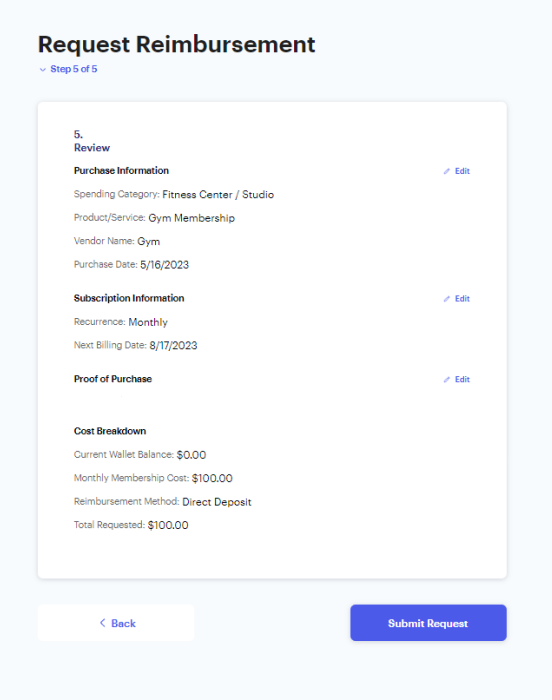
Your request will be reviewed by our team within 2 business days. Should we require further information to process your request, we will reach out to you directly for this information.
Was this article helpful?
That’s Great!
Thank you for your feedback
Sorry! We couldn't be helpful
Thank you for your feedback
Feedback sent
We appreciate your effort and will try to fix the article