Wishlist automatically posts birthday announcements to the News Feed and connected external applications. If you prefer not to have your birthday shared publicly, you can disable birthday announcements in your personal settings.
Note: Disabling birthday announcements only prevents the public announcement from being displayed. It does not affect any birthday rewards you may receive.
Turn Birthday Announcements On or Off
- Log in to your Wishlist portal.
- Click your Profile icon in the upper-right corner.
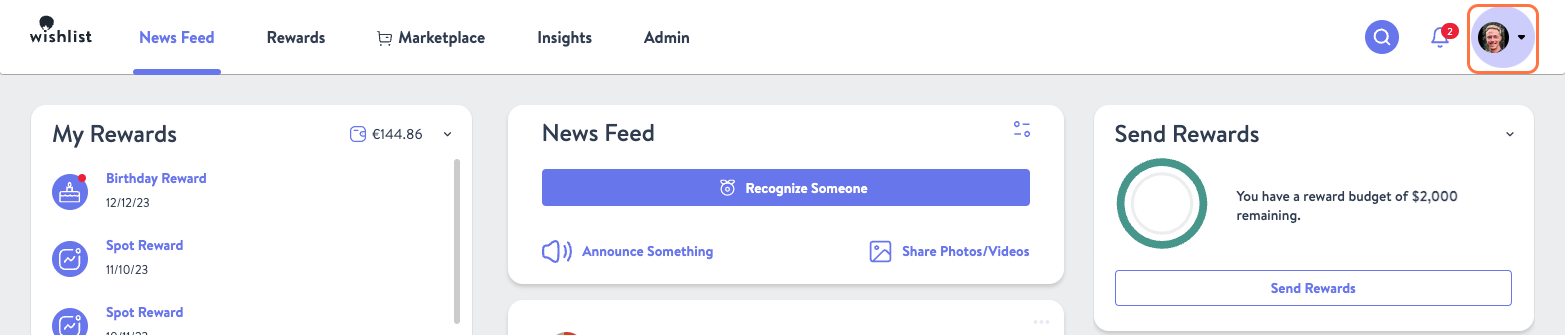
- Select My Settings from the drop-down menu.

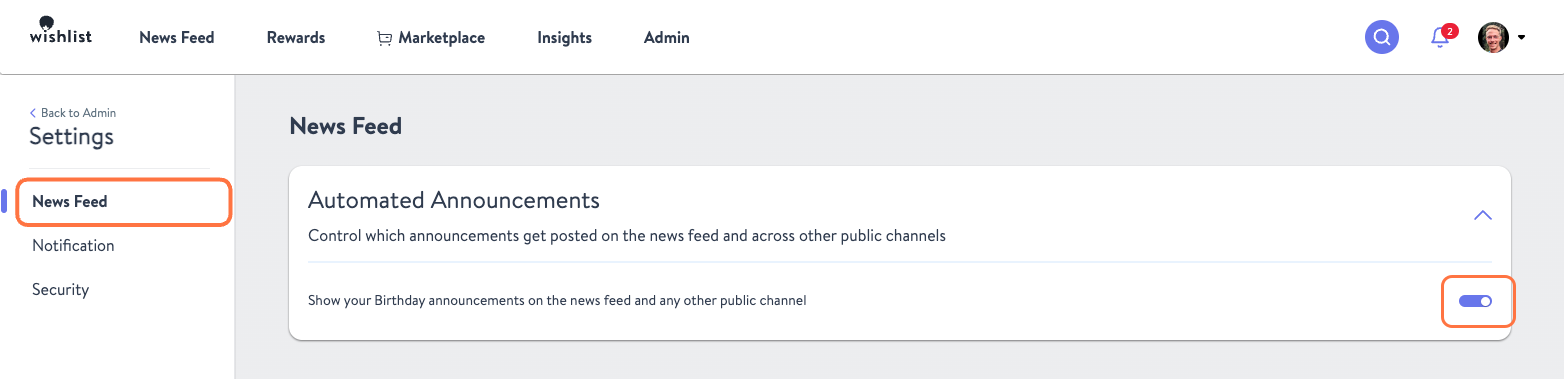
- Click News Feed in the left-hand navigation menu.
- Under Automated Announcements, toggle Birthday Announcements on or off.
Frequently Asked Questions
Will I still receive my birthday reward if I disable announcements?
Yes. Disabling birthday announcements only hides the public post. Any associated rewards will still be awarded.
Can I hide my work anniversary announcement?
No. Work anniversary announcements cannot be managed at the individual user level. If your organization would like to disable work anniversary announcements, a Program Admin must update the setting for the entire company.
Was this article helpful?
That’s Great!
Thank you for your feedback
Sorry! We couldn't be helpful
Thank you for your feedback
Feedback sent
We appreciate your effort and will try to fix the article