Can I Keep My Wishlist Rewards After Leaving My Organization?

Modified on Wed, Jul 15 at 1:23 PM

Your Rewards Are Yours to Keep

Any rewards you've earned through Wishlist are yours to keep, regardless of your employment status. If you leave the organization associated with your Wishlist account, you can continue to access and redeem your rewards by adding and verifying a personal email address on your account.

We strongly recommend adding a recovery email before your last day of employment. However, if you're no longer able to access your work email, don't worry. Simply contact us at wishlist@thrivepass.com with the personal email address you'd like to use, and our team can help update your account.

How to Add a Recovery Email

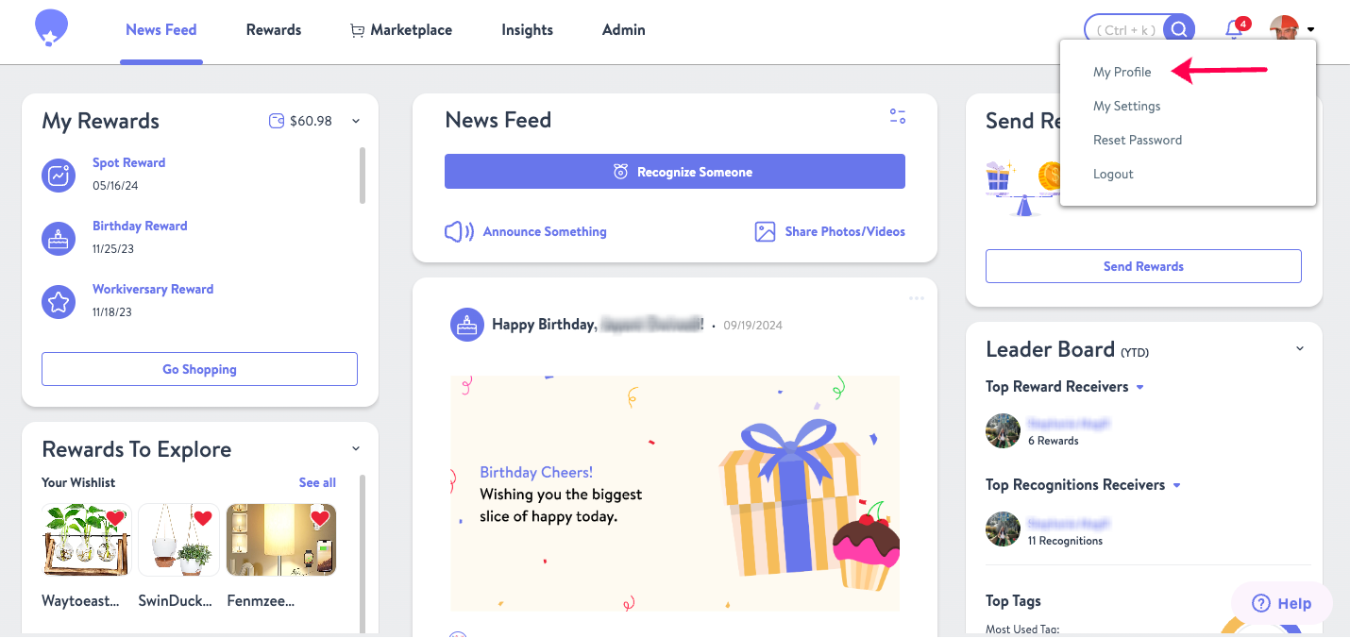
  1. Select My Profile from the top-right corner of the screen.

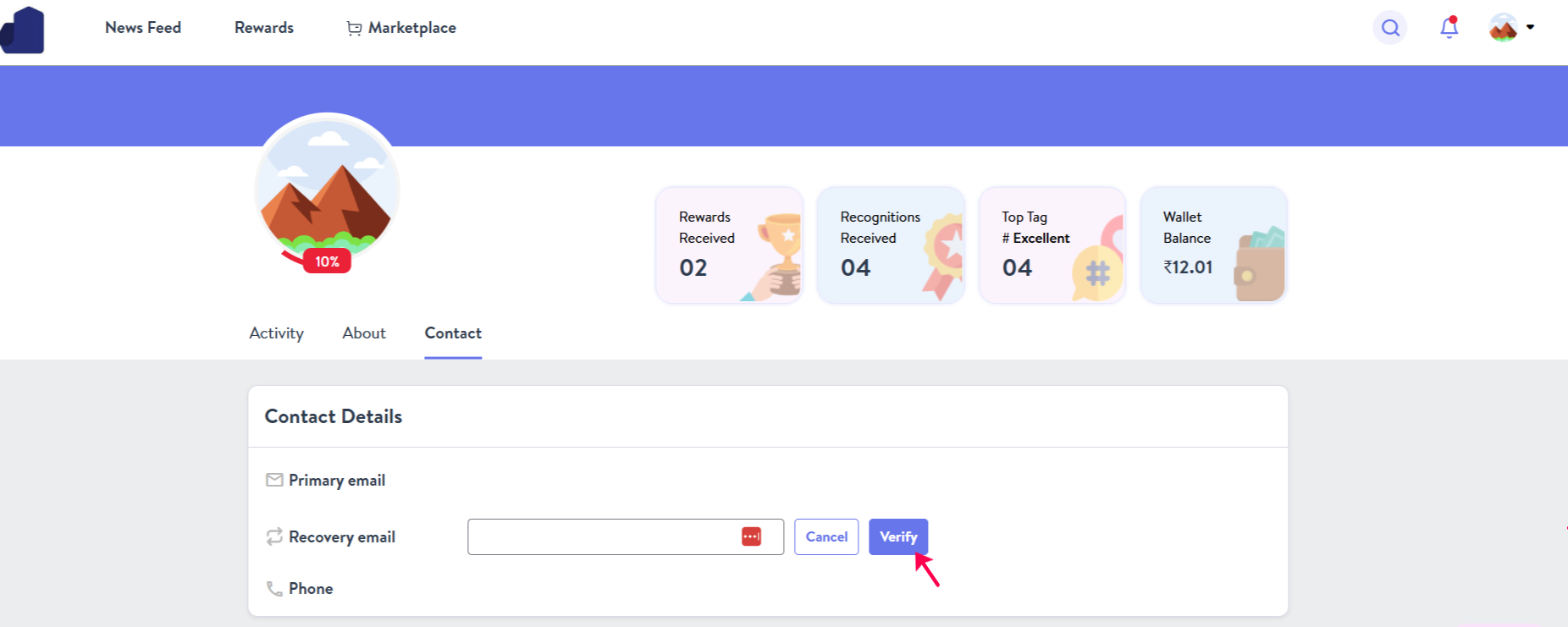
  2. Scroll to the Contact Information section.
  3. Locate the Recovery Email field.
  4. Enter your preferred personal email address and click Verify.
  5. Check your inbox for a verification email from Wishlist.
  6. Open the email and click the verification link to complete the process.

After Verification

Once your recovery email has been verified, you can use it to log in to your Wishlist account and continue accessing and redeeming your rewards at any time.

Need Assistance?

If you need help adding or updating a recovery email, please contact wishlist@thrivepass.com, and our team will be happy to assist you.


Was this article helpful?

That’s Great!

Thank you for your feedback

Sorry! We couldn't be helpful

Thank you for your feedback

Let us know how can we improve this article!

Select at least one of the reasons
CAPTCHA verification is required.

Feedback sent

We appreciate your effort and will try to fix the article