Are you looking to turn off the email notifications for your Recognition Metrics? Follow the instructions below to pause Wishlist recognition notifications.
User Level
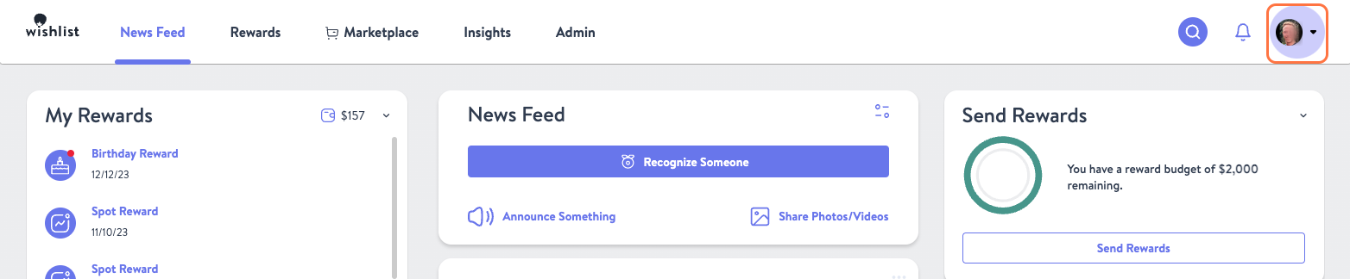
- Click your Profile Picture in the top right corner of the page and select My Settings

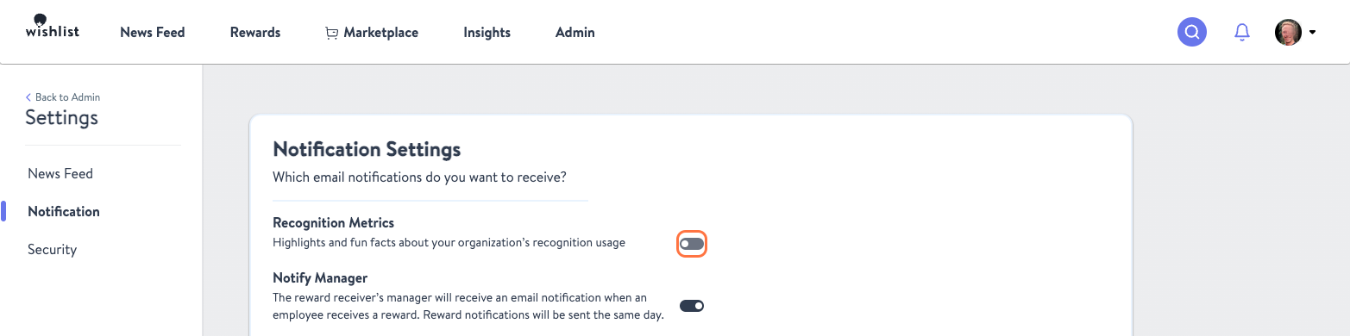
- From the lefthand sidebar choose Notification

- Toggle the "On/Off" switch so that Recognition Metrics notifications are off
Company-Wide
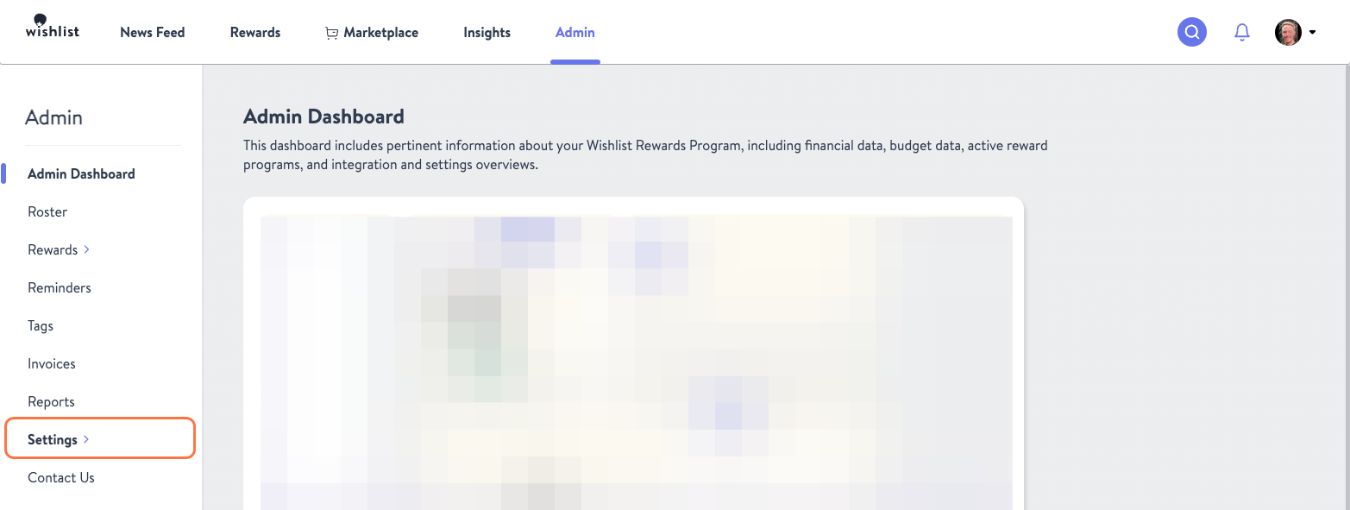
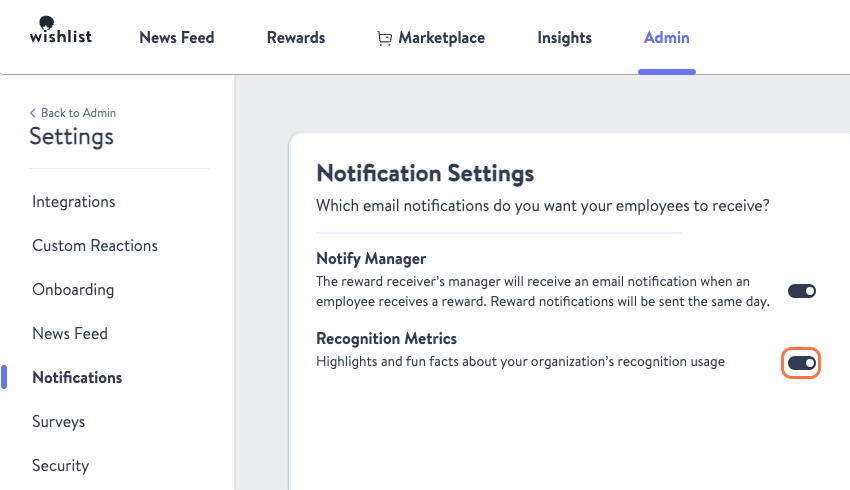
- From the Admin tab select Settings on the lefthand sidebar
- Click "Notifications" on the left sidebar menu
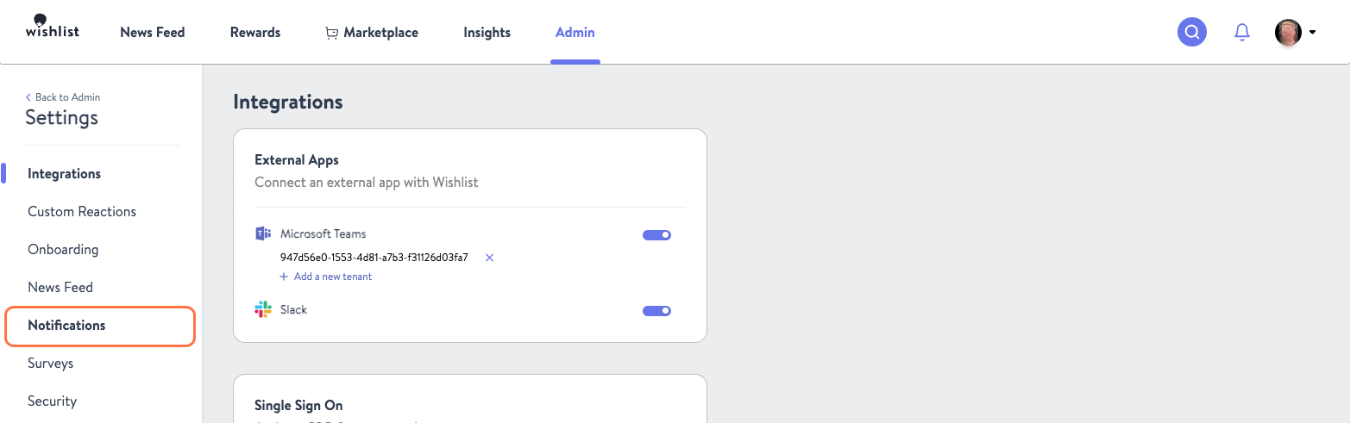
- Toggle the "On/Off" switch so that Recognition Metrics notifications are off
Note: Turning this off will prevent the weekly activity emails from being delivered on Wednesdays and the weekly update emails from being delivered on Fridays. This pertains to Recognition and Rewards programs only.