If you have received a physical version of your reward, you have two ways of adding the amount to your wallet. Both options are listed below:
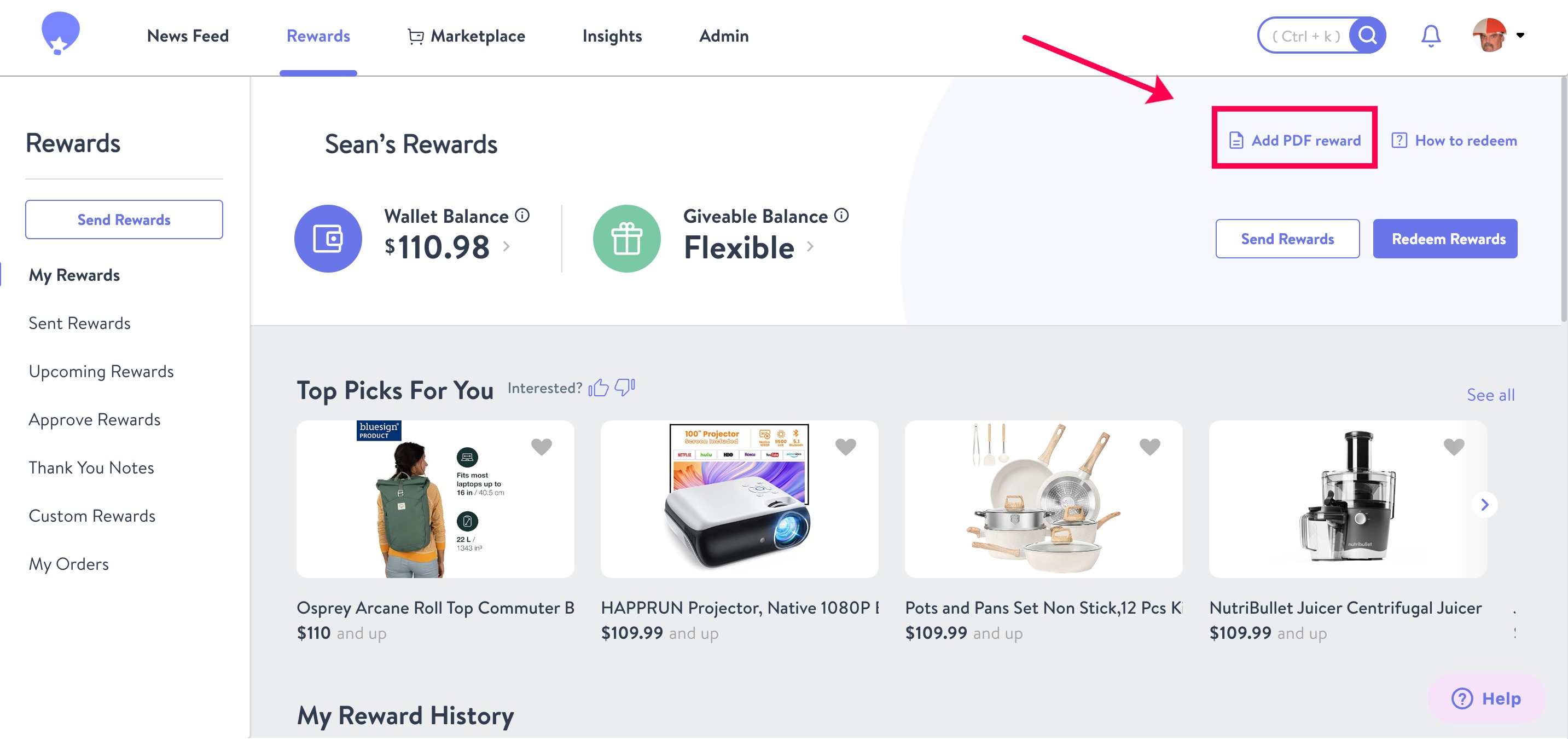
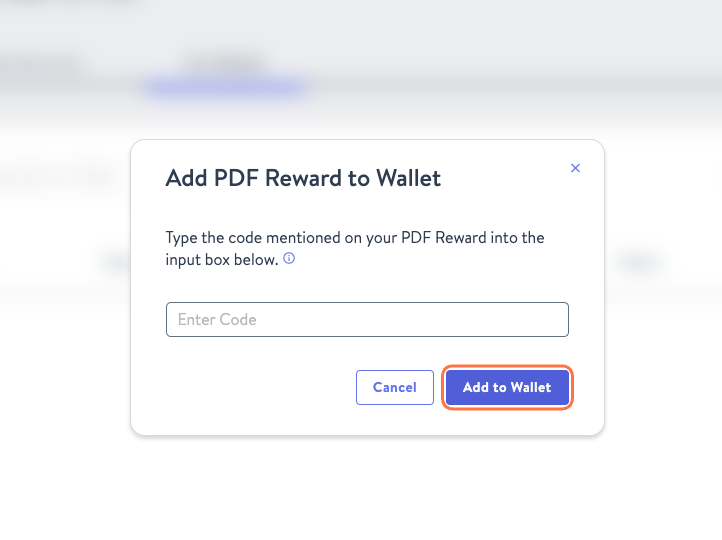
From the My Rewards page you will have the option to Add PDF Reward. You will see a popup asking you to type in the code that is printed on your PDF reward and then click the Add to Wallet button.
Alternatively, on the PDF reward, scan the QR code on the form using a mobile device. This will open a web page to your Wishlist wallet with the Invite Identifier code already filled in on the "Received a PDF Reward" tool. You'll then have to click on the "Add to Wallet" button to transfer the funds to your Wishlist Wallet...