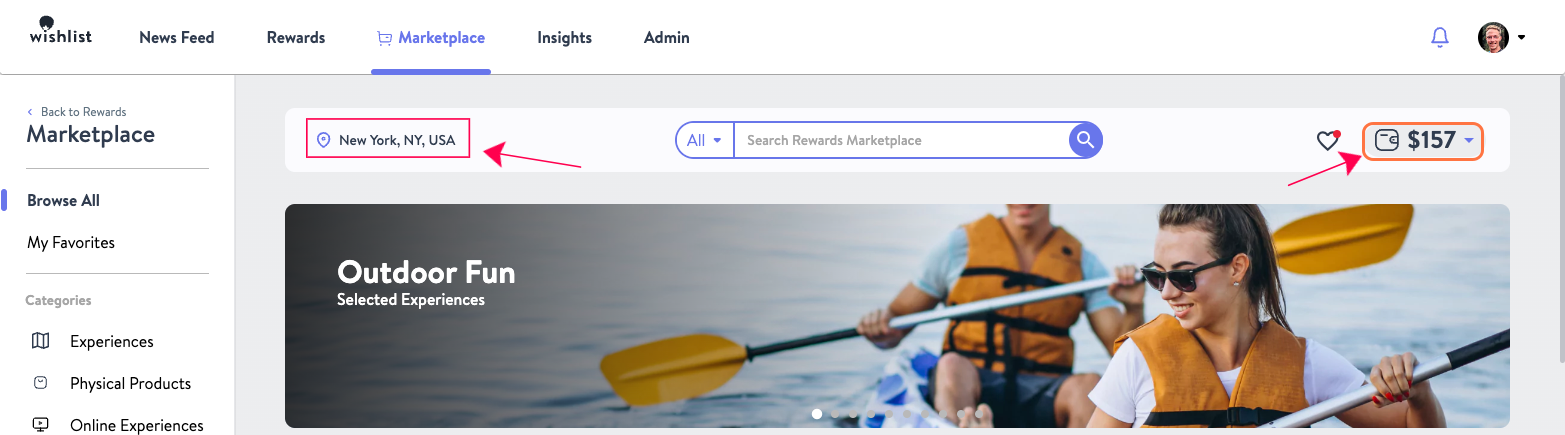
The Marketplace serves users from multiple geographies, and your location and currency settings can significantly filter the options available to you. To see products available in your region, make sure your marketplace currency matches your location for example, Dollars for the USA or Euros for Europe and so on. Setting your currency correctly allows you to view product prices in your local currency and gives you access to country-specific gift cards that can only be fulfilled locally.
You can easily change your marketplace currency by following these steps:
- On the upper righthand side of your Marketplace, your current currency is displayed by its symbol. Simply click the Dropdown arrow to begin
- This reveals all supported currencies. After making your selection, all rewards will be shown in the chosen currency as displayed below. Please note that changing the currency will also impact the options available to you in each category.
Important Note - This feature is not available on all accounts and may not be visible on your marketplace. Additionally, Wishlist Rewards is a US-based company and although "upgrades" are displayed in your selected currency, all transactions will be settled in USD. This means "upgrades" will appear on your bank statement in USD. Foreign transaction fees may apply. We recommend contacting your bank regarding foreign transaction fees. See the article What is an Upgrade? for more information.