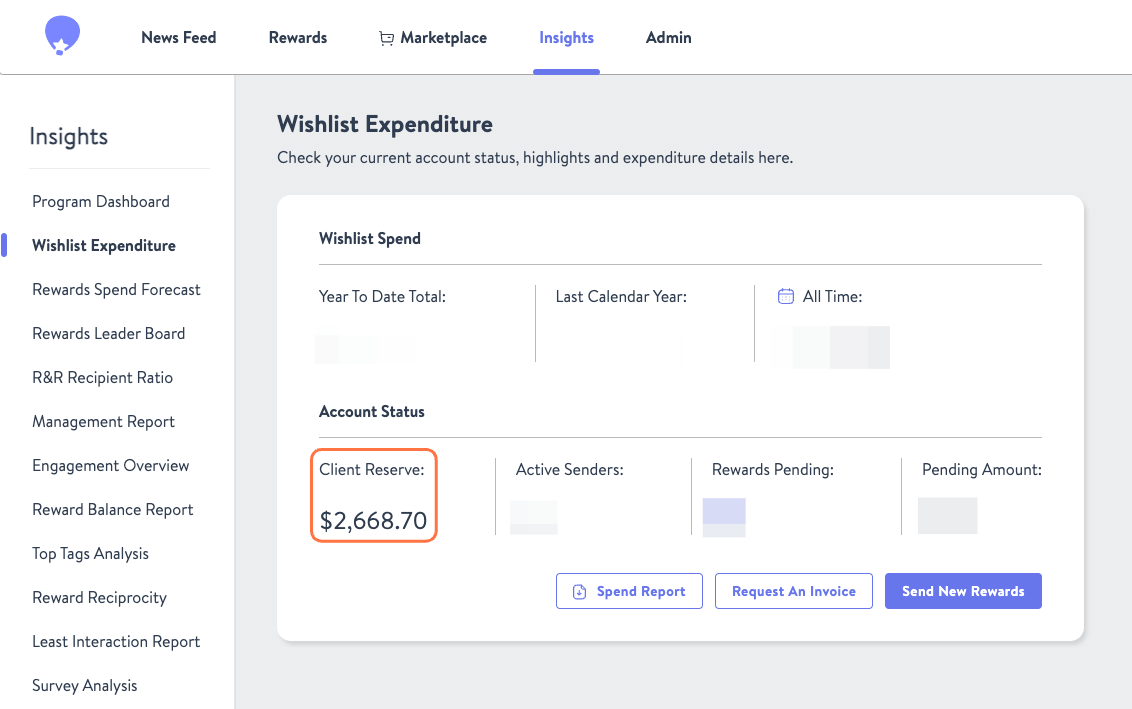
There are 3 accounting functions that you will find on Wishlist. We will walk you through how to perform each one below.
As always, if you have any questions regarding your invoicing or payments please reach out to billing@enjoywishlist.com.
For each, navigate from the Insights Program Dashboard to Program Spend
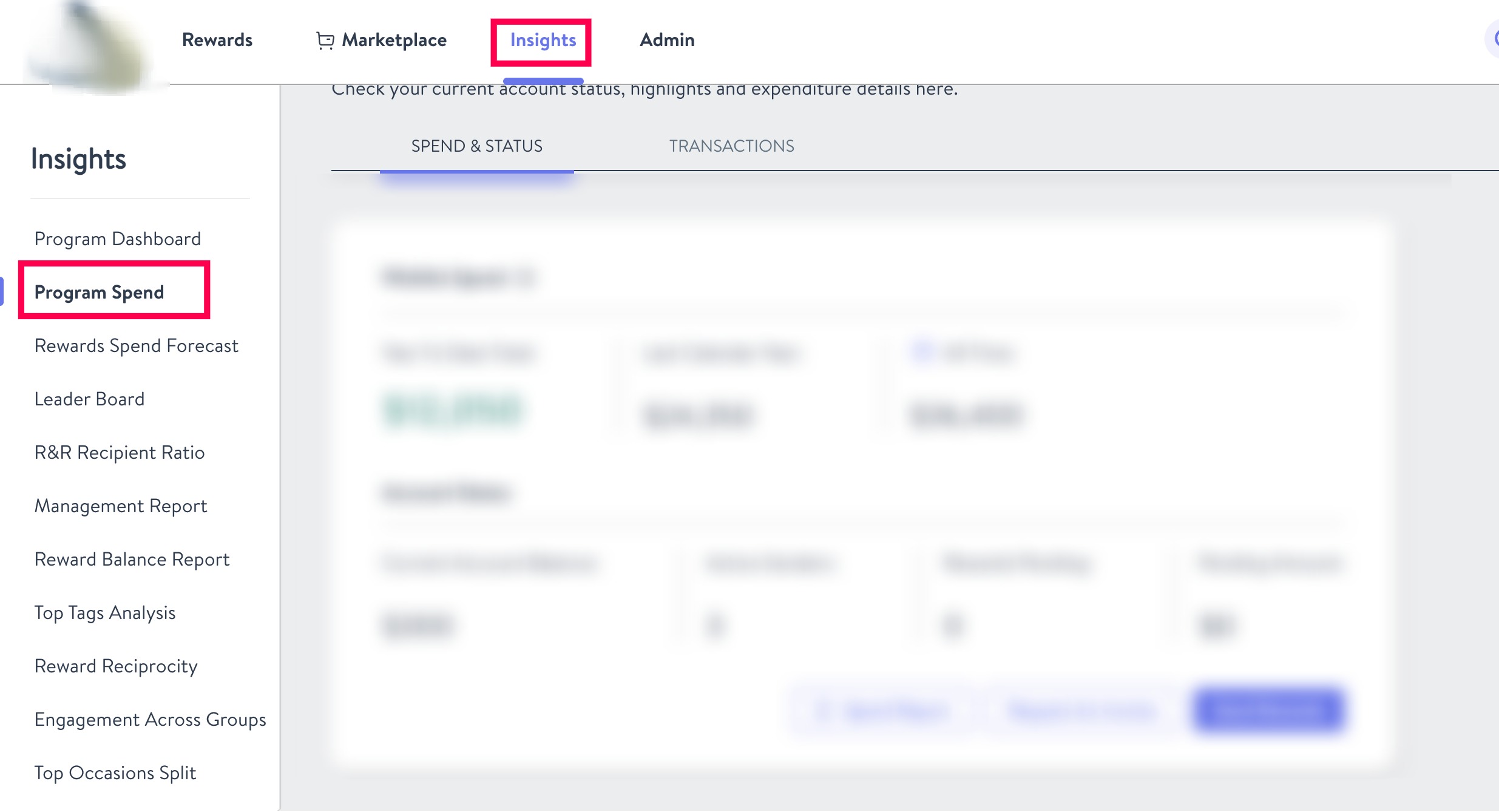
Download the Spend Report
The Spend Report details all financial transactions and balances for the specified period.
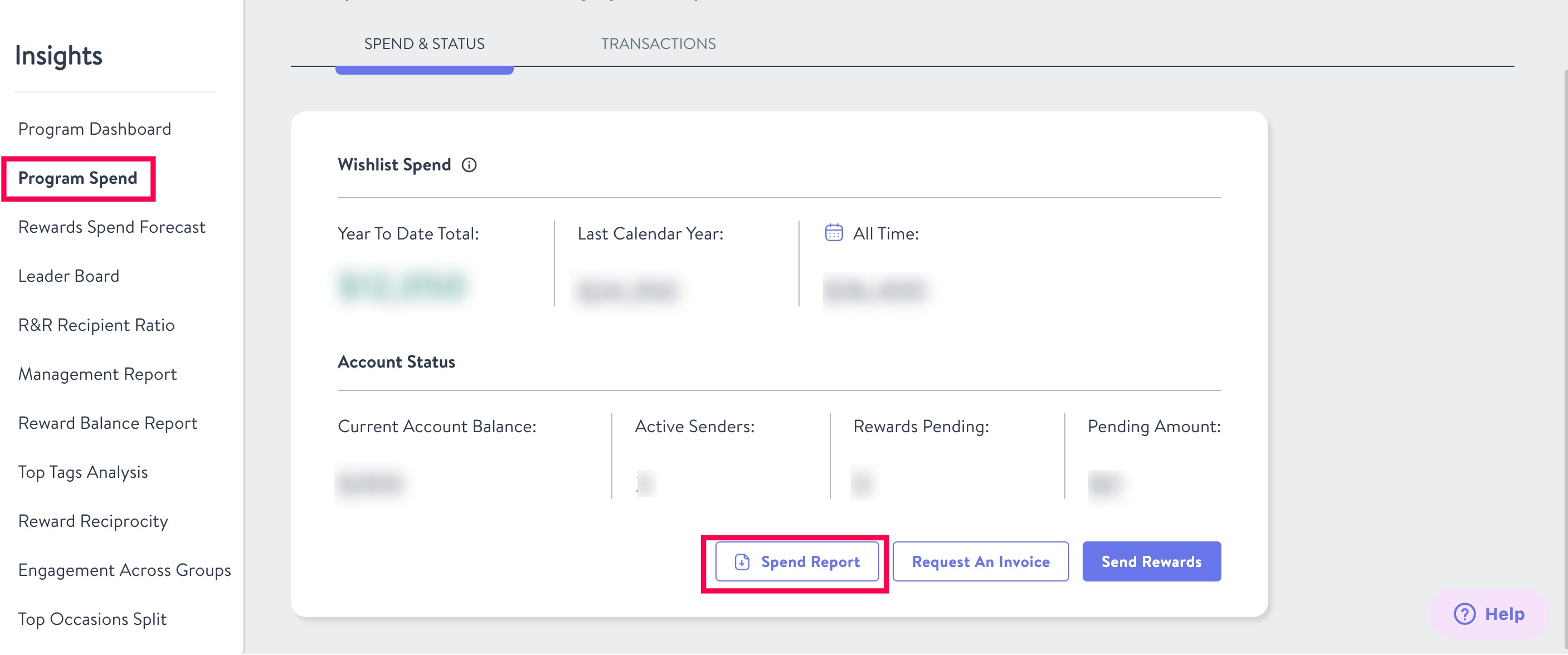
To download the Spend Report, follow the instructions below.
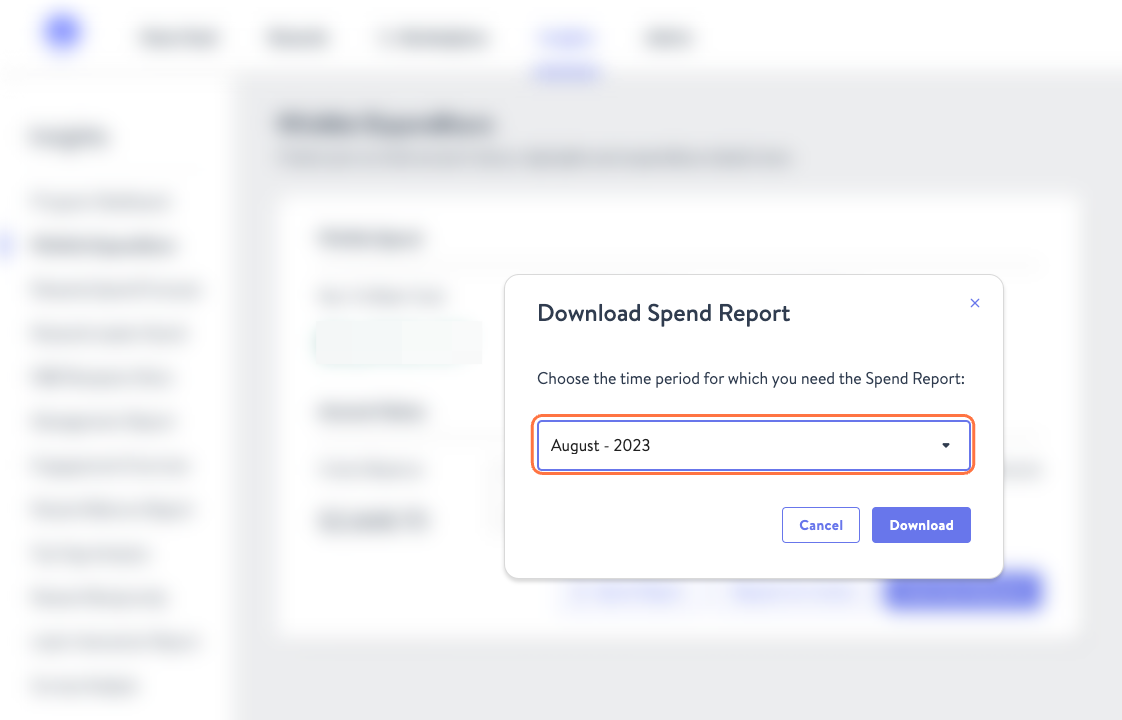
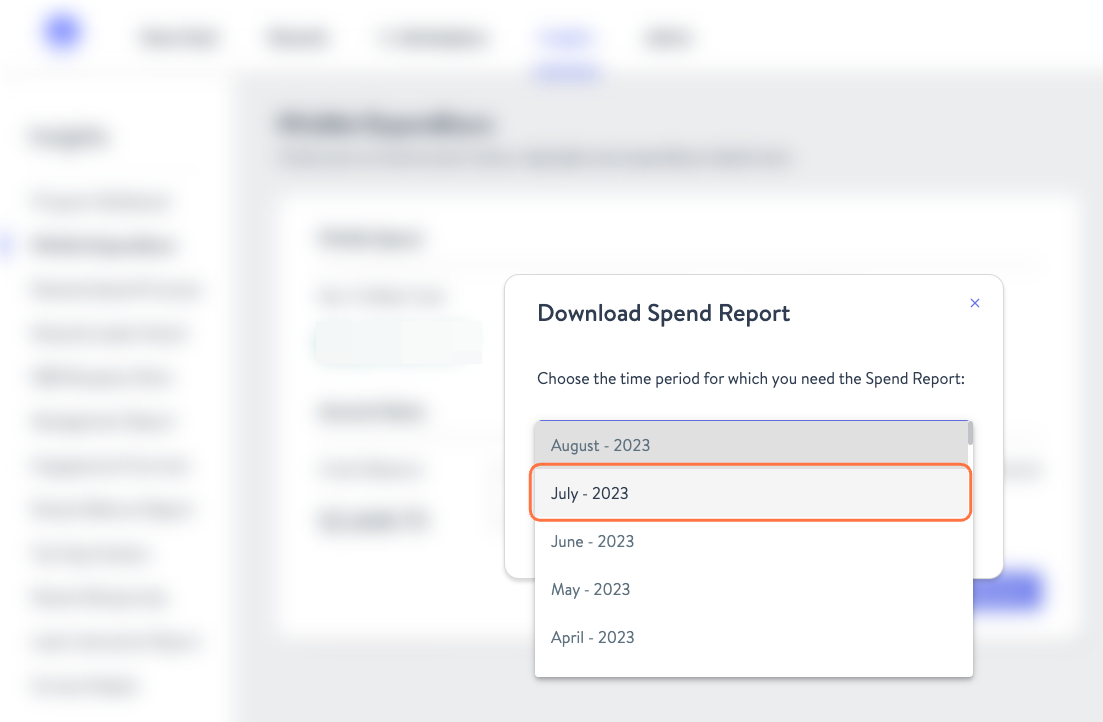
- Click "Spend Report" and select the specific month you wish to download.
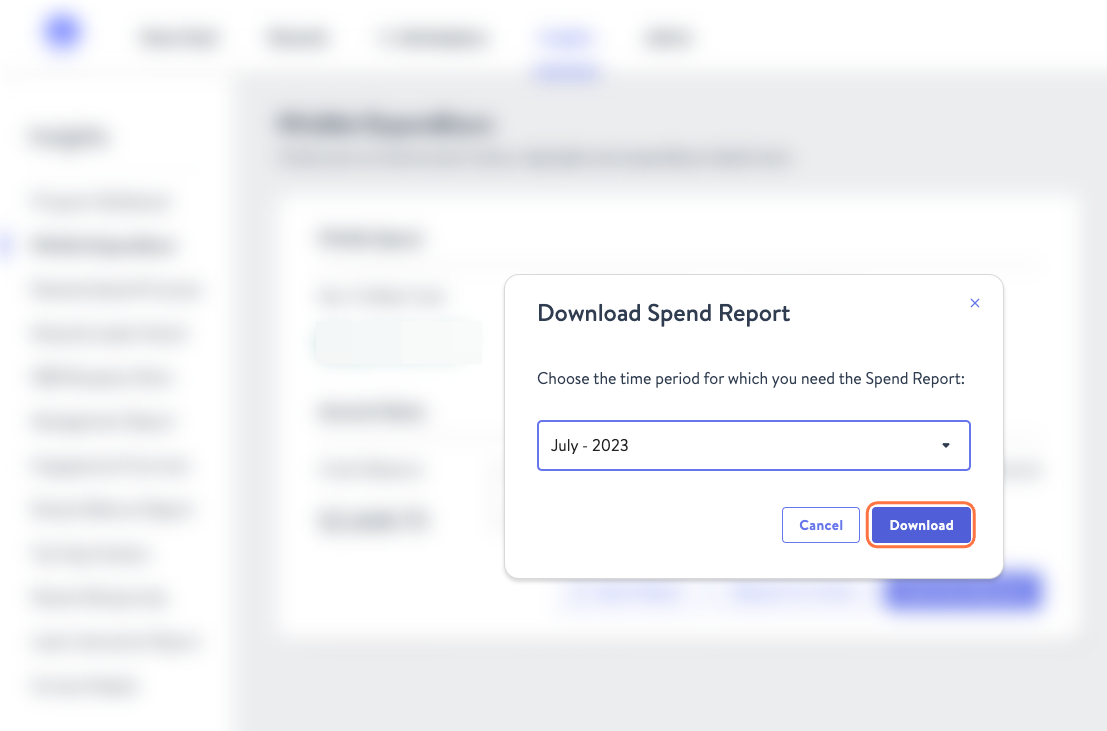
- A pop-up will appear allowing you to select the month and year you would like to report on. Once chosen, click Download.
Request an Invoice
Need to replenish your reward balance? Request an invoice by doing the following.
- Click the Request An Invoice button
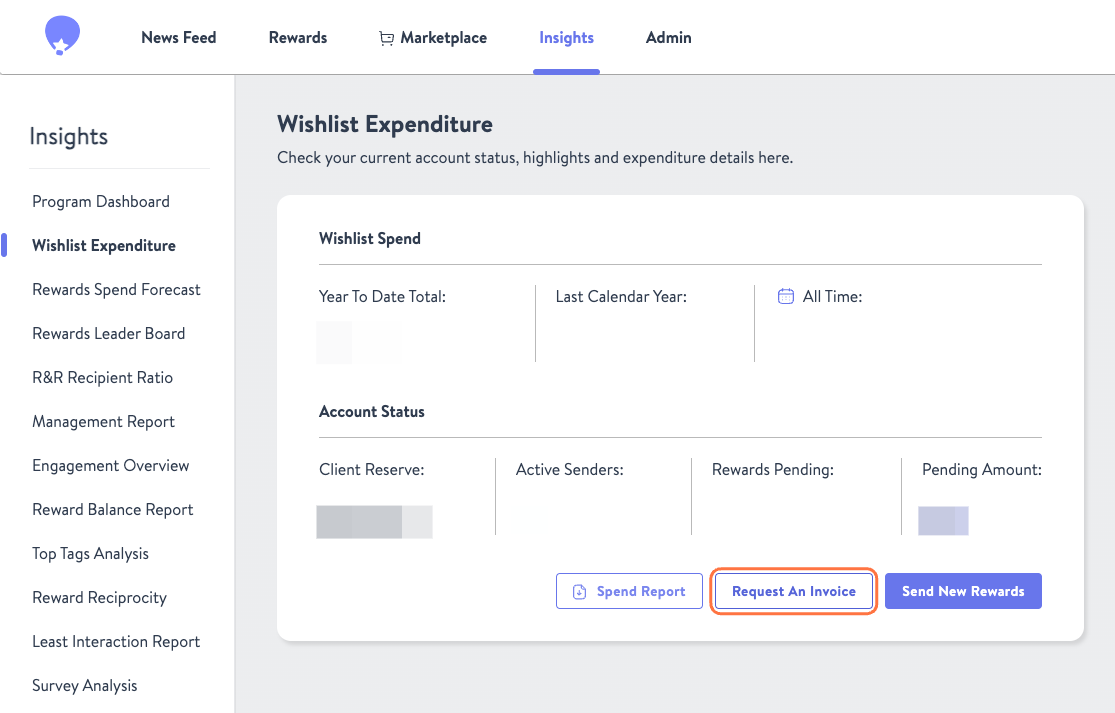
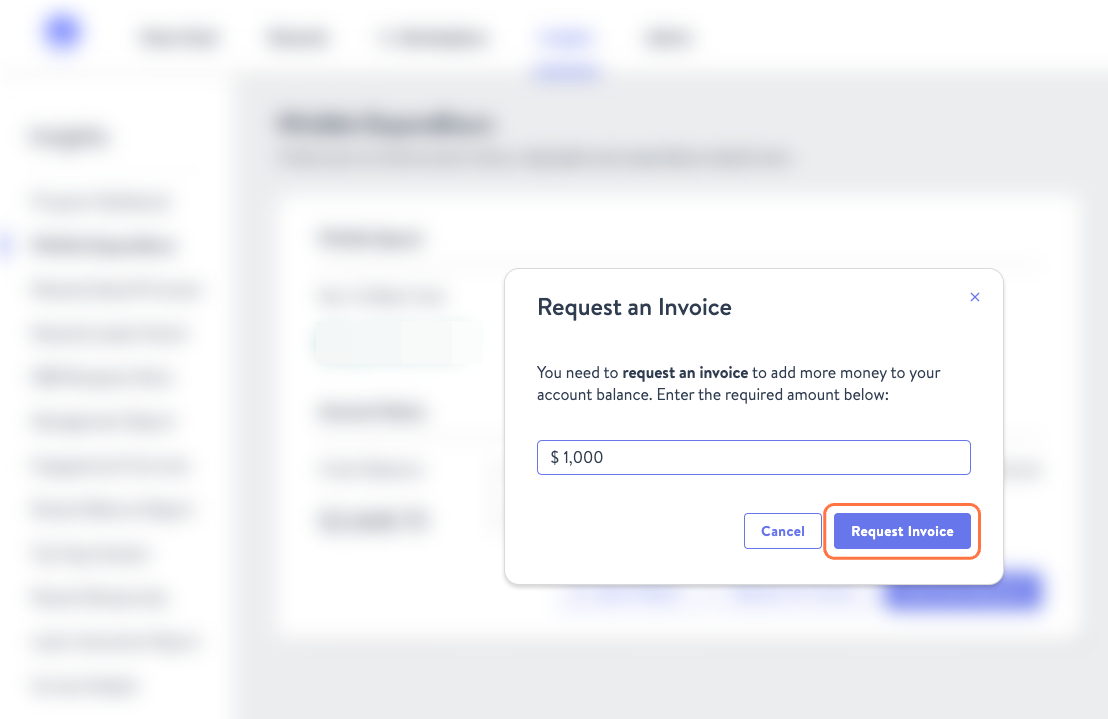
- Type in the amount you wish to add and select Request Invoice.
Check Account Balance
Looking to find the most accurate reward balance for your account? Check here.
- You will see your balance under the Client Reserve section