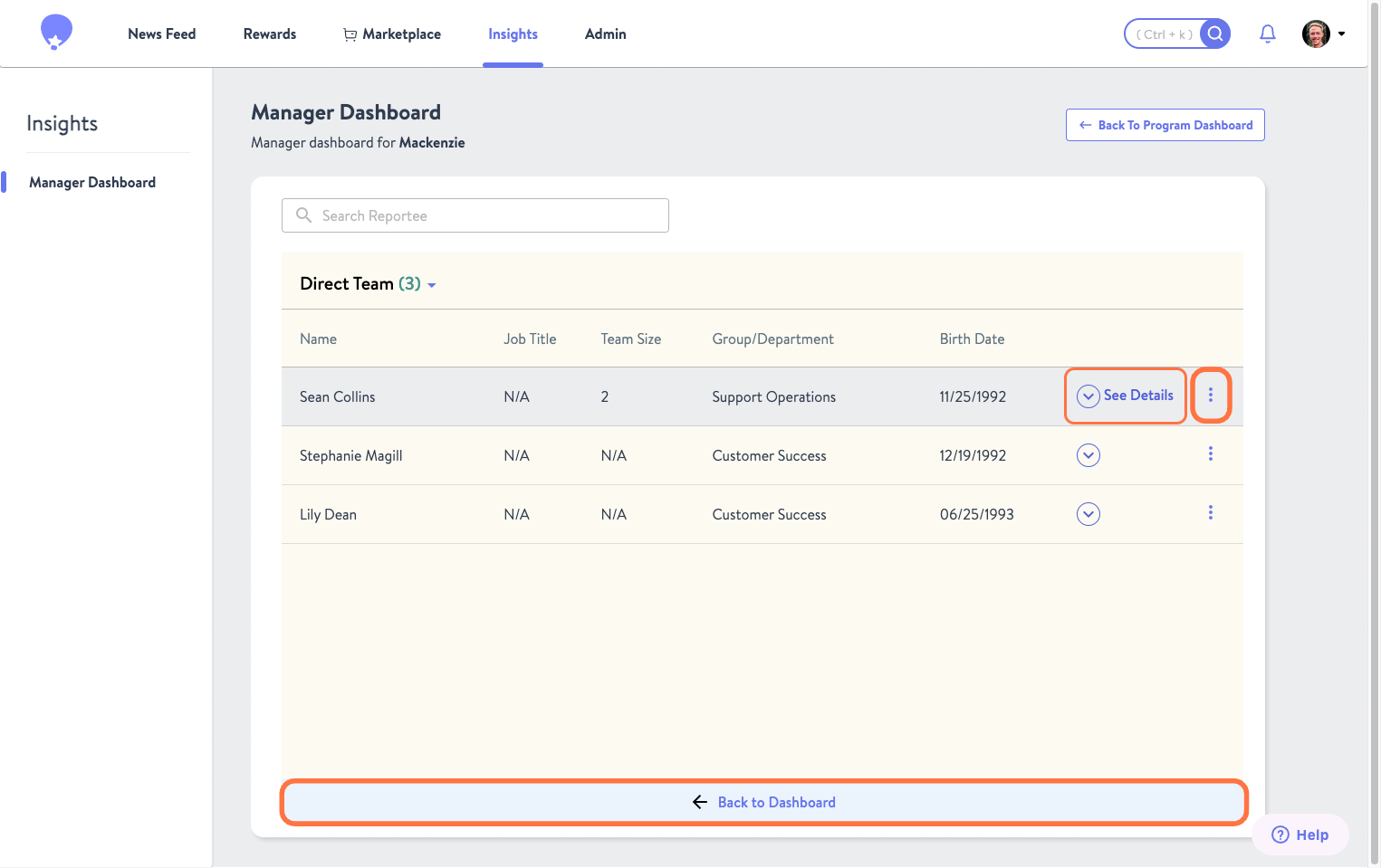
Here managers are able to view the total number of direct and indirect team members. Clicking on the widget will take you to the table used to populate the widget where Name, Job Title, Department, Birth Date are visible. Please note the Direct & Indirect Team table is unaffected by the time filter and will only show current reports.
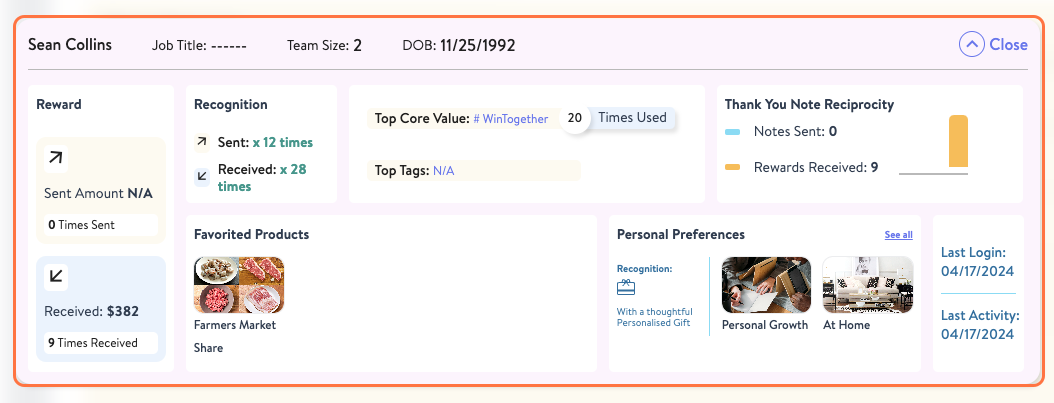
Within the table, you can perform a couple of actions. By clicking See Details you will be able to view a summary of the employee's interactions with the platform, from their favorited products, to the number of recognitions they have sent and received.
Selecting the Kebab Menu on the right will allow you to quickly view either their Profile or Dashboard. One caveat is that users who are not managers will not have a dashboard.
To return to the Manager Dashboard, simply click Back to Dashboard.
Was this article helpful?
That’s Great!
Thank you for your feedback
Sorry! We couldn't be helpful
Thank you for your feedback
Feedback sent
We appreciate your effort and will try to fix the article