Want to dive in to see which users are being recognized for what? Take a look at the Top Tags Analysis report within your Insights dashboard. Below we'll show you some of the ways this can be used:
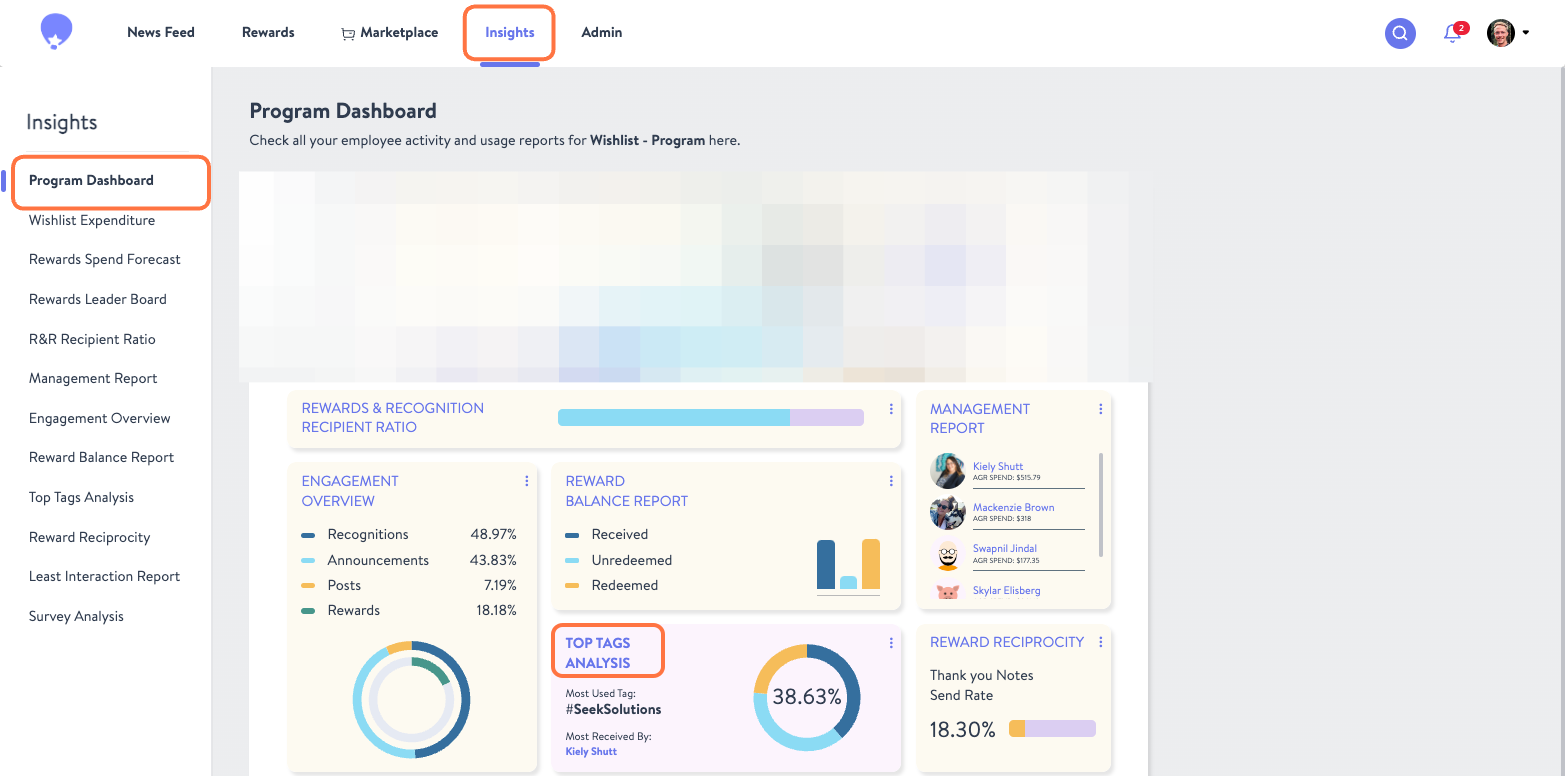
1.Start by selecting the Top Tags Analysis report from the Program Dashboard within your Insights tab.
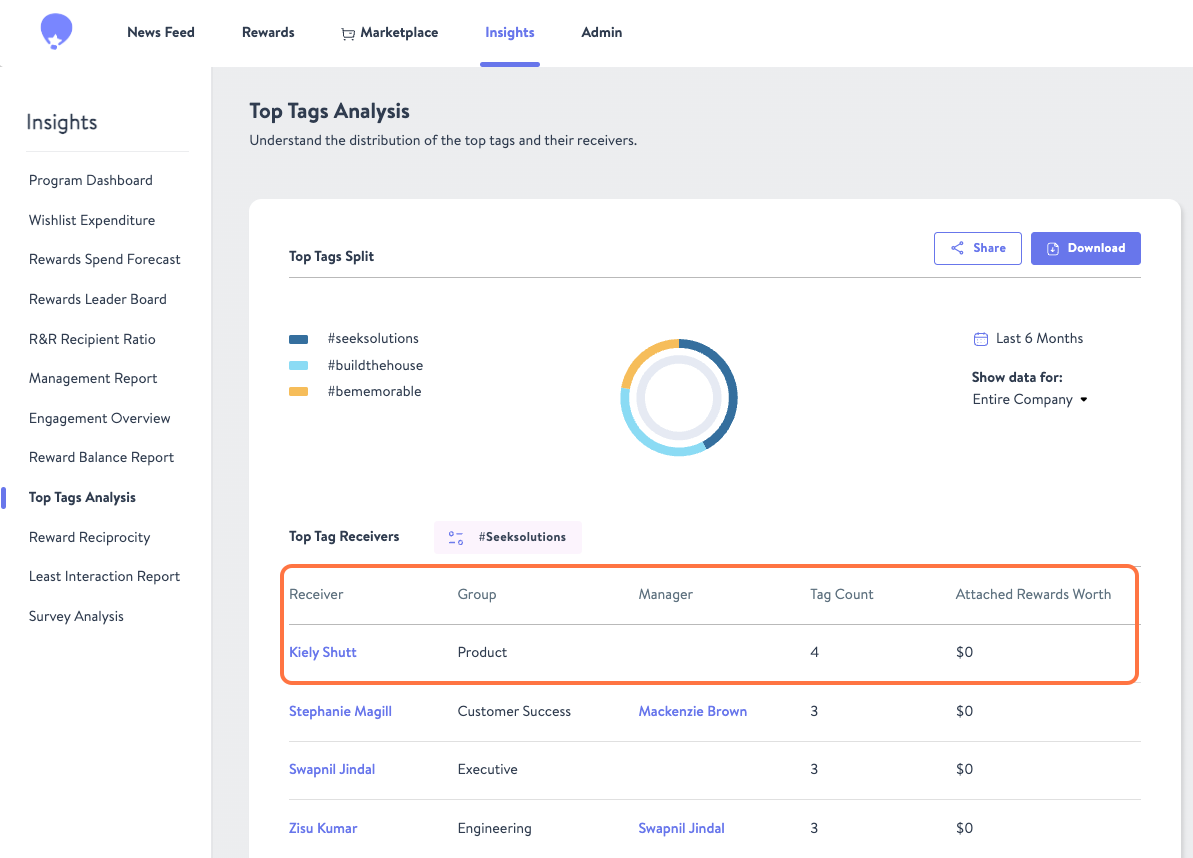
2. Here you can adjust the date range, the users you're showing data for, and the tag being reported on.
3. Based on your selections, you will be shown who has received recognitions with that tag and how many times, their Group, Manager, and Attached Rewards Worth if any.
Was this article helpful?
That’s Great!
Thank you for your feedback
Sorry! We couldn't be helpful
Thank you for your feedback
Feedback sent
We appreciate your effort and will try to fix the article