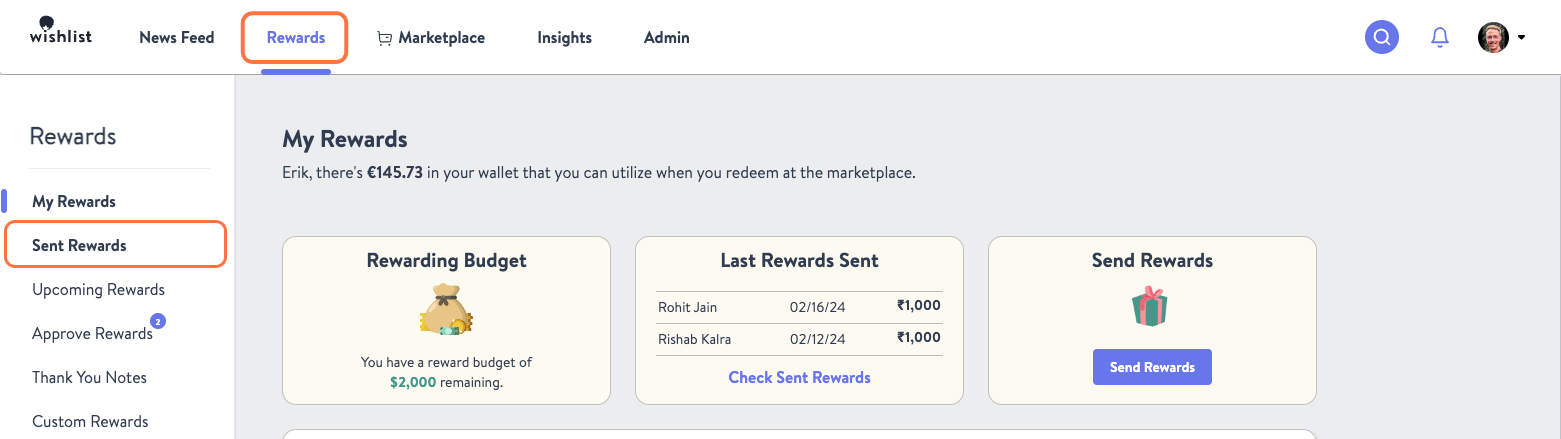
- From the Rewards tab click Sent Rewards.
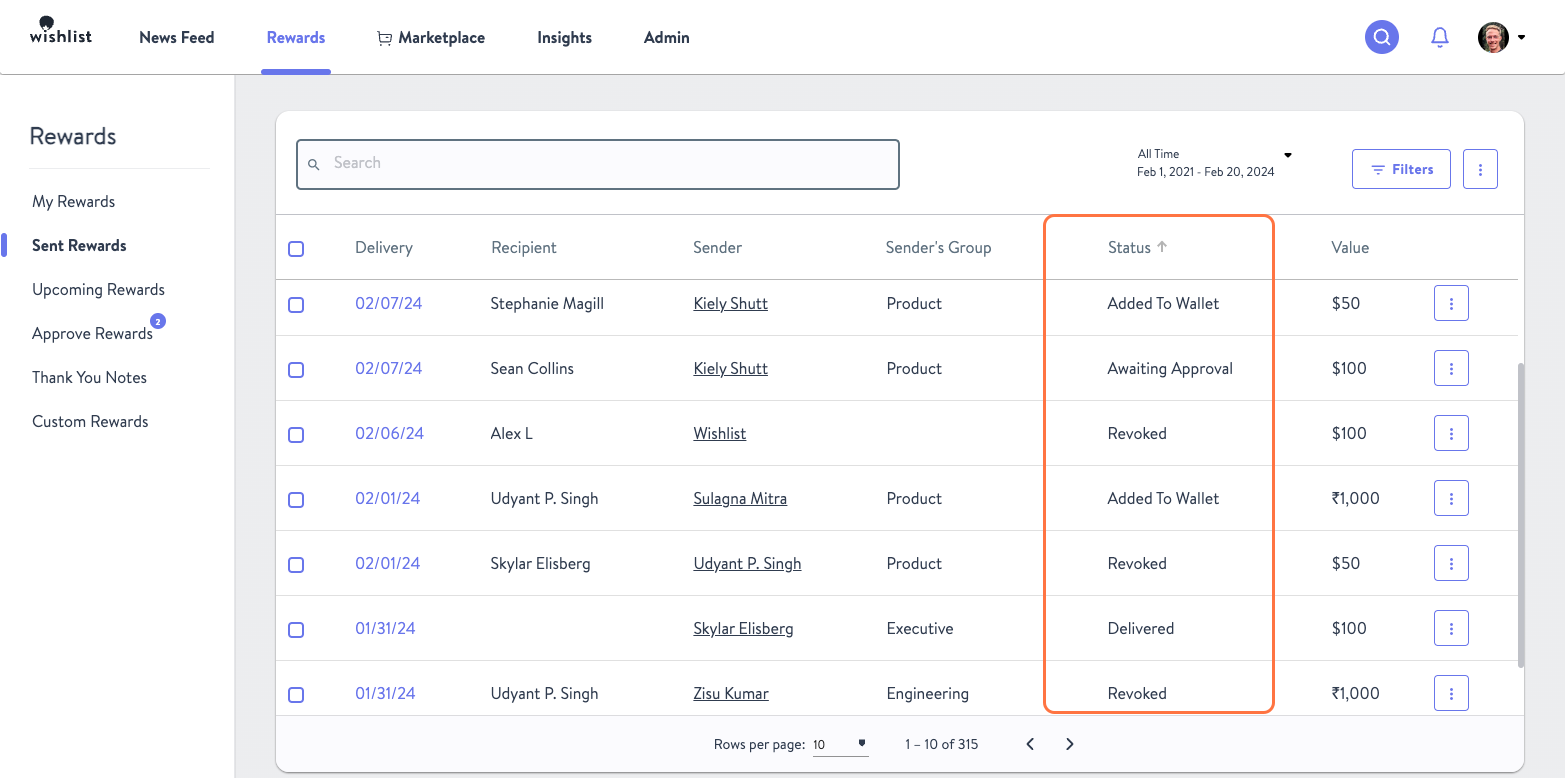
- A table will be displayed with a list of all the rewards sent from your account. Once you’ve found the reward you are looking to check on, scroll over to the Status column to view the status.
Was this article helpful?
That’s Great!
Thank you for your feedback
Sorry! We couldn't be helpful
Thank you for your feedback
Feedback sent
We appreciate your effort and will try to fix the article