Your Rewards Are Yours to Keep
Any rewards you’ve earned are yours to keep—no matter your employment status. If you’re no longer with the organization connected to your Wishlist account, you can still access and redeem your rewards without any issues. All you need to do is add a personal (alternate) email address to your account and use it to log in moving forward.
Adding an Alternate Email
It’s best to add a recovery email before your last working day, while you still have access to your work email. However, if your work email has already been deactivated, don’t worry—just contact us at support@enjoywishlist.com with your preferred email, and we’ll help you update your account.
Here’s how to add a recovery email:
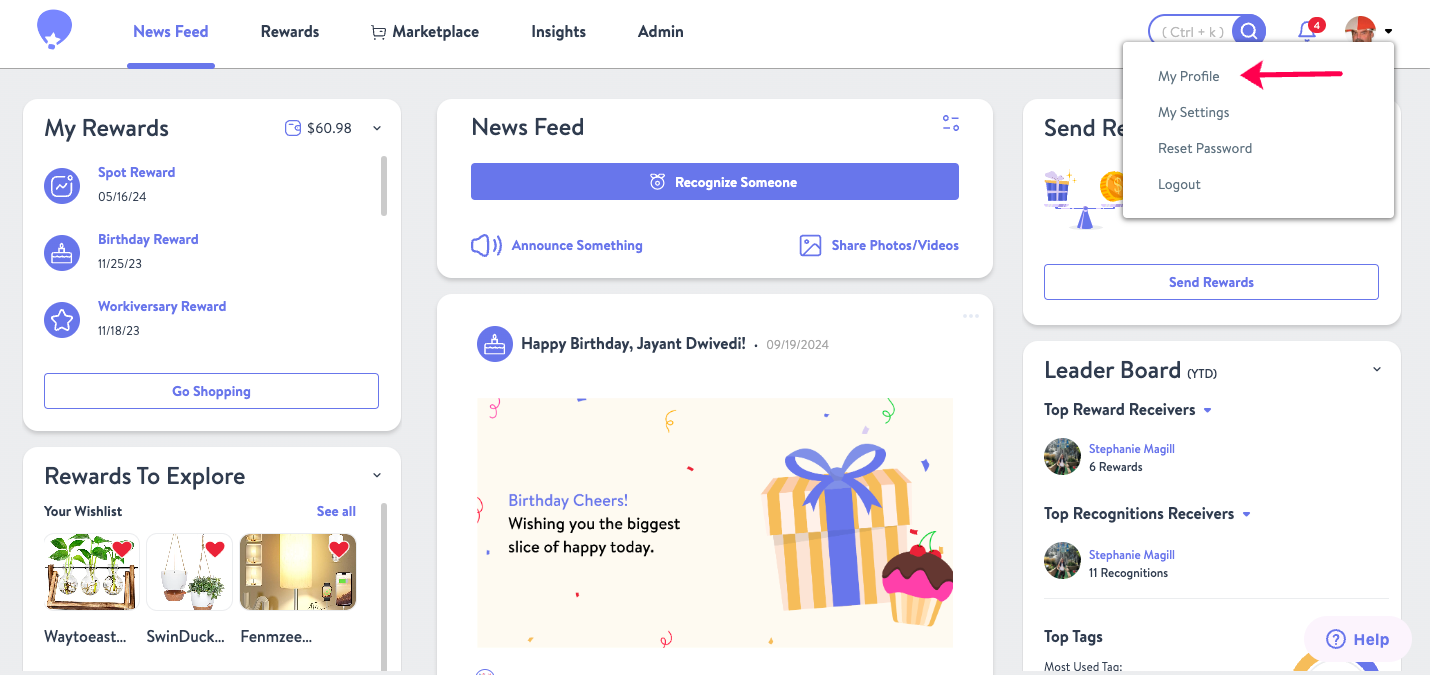
1. Click on My Profile in the top-right corner of your screen.

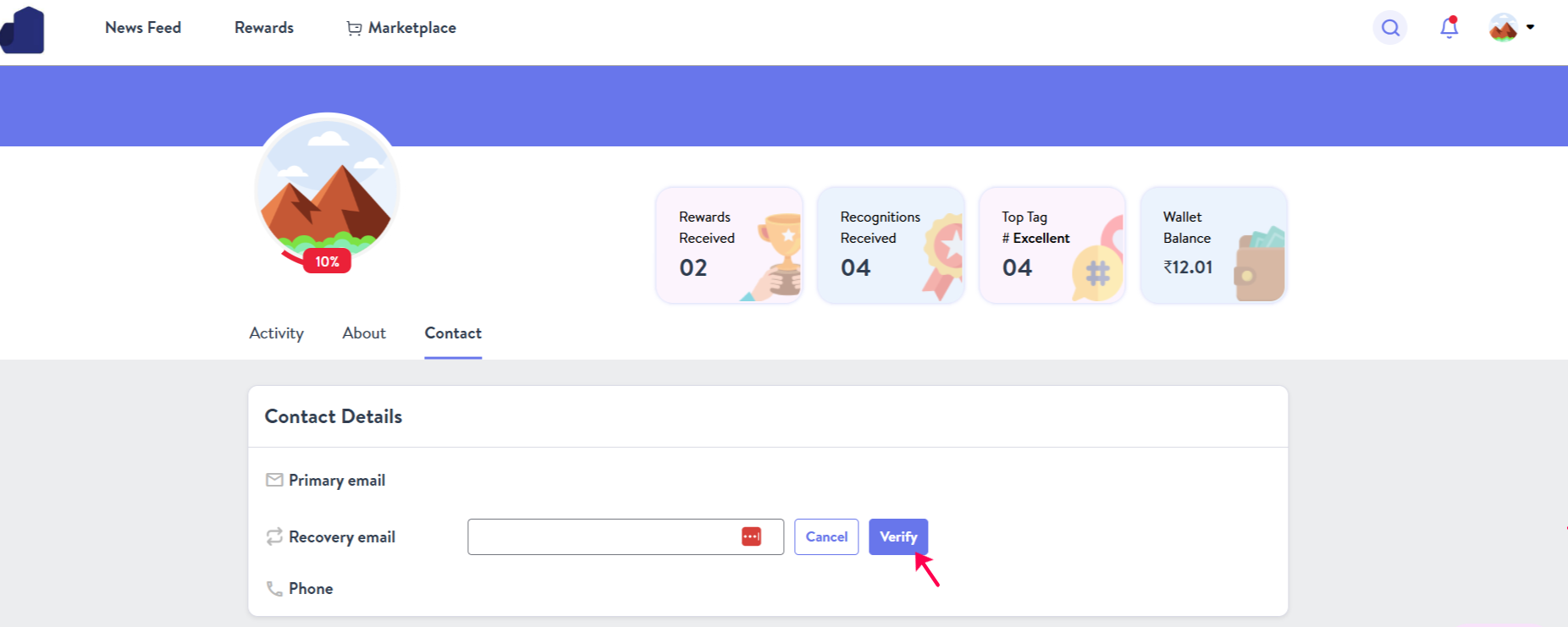
2. Navigate to the Contact section.
3. Locate the Recovery Email field.
4. Enter your preferred email address and click Verify.

5. Check your inbox for a confirmation email from Wishlist.
6. Click the confirmation link in that email to complete the process.
Once verified, you’ll be able to log in using your recovery email and continue enjoying your rewards.