If you have a phone number added to your account, you can log in to your Wishlist account using it. If you don’t currently have a phone number on file, you can follow the instructions linked here to add one.
Quick heads-up: Choosing to receive a one-time password (OTP) by text does not automatically save your phone number to your profile. You’ll still need to manually add it using the steps here
- Enter your phone number on the Wishlist login page.
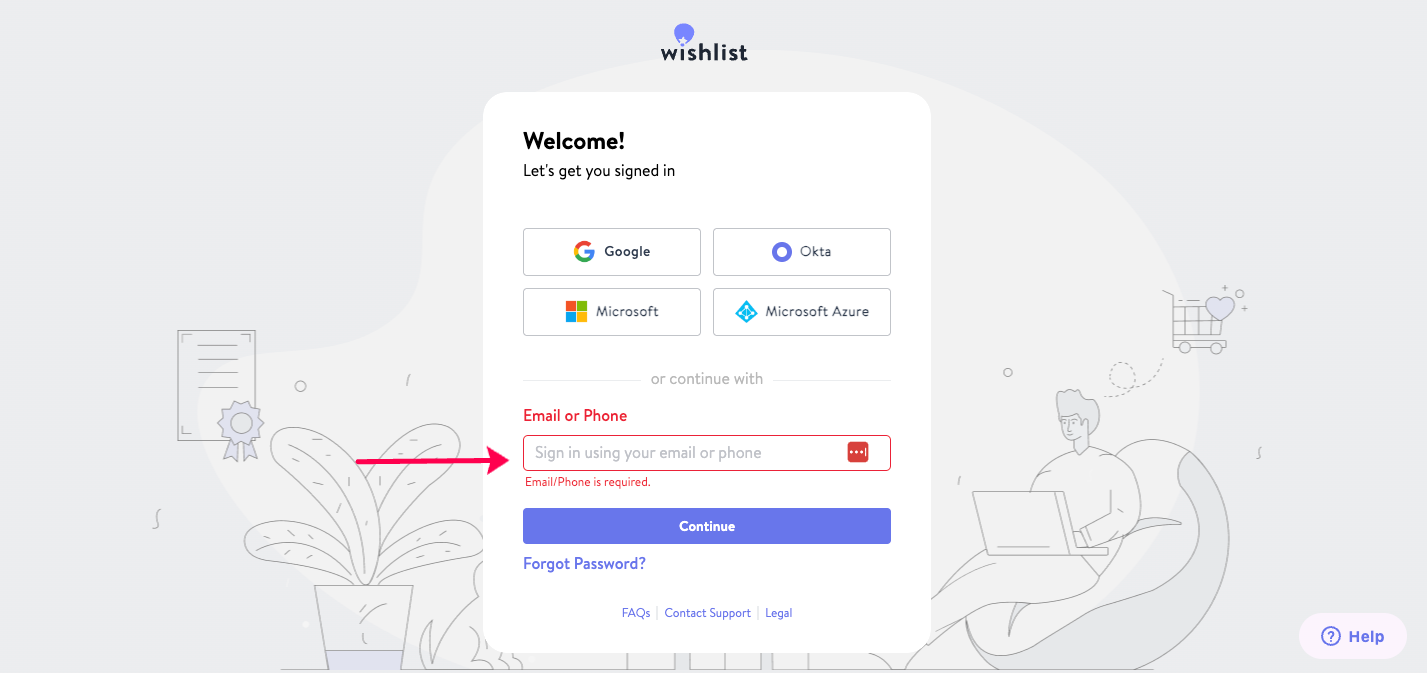
- You will receive a text message with a one‑time password
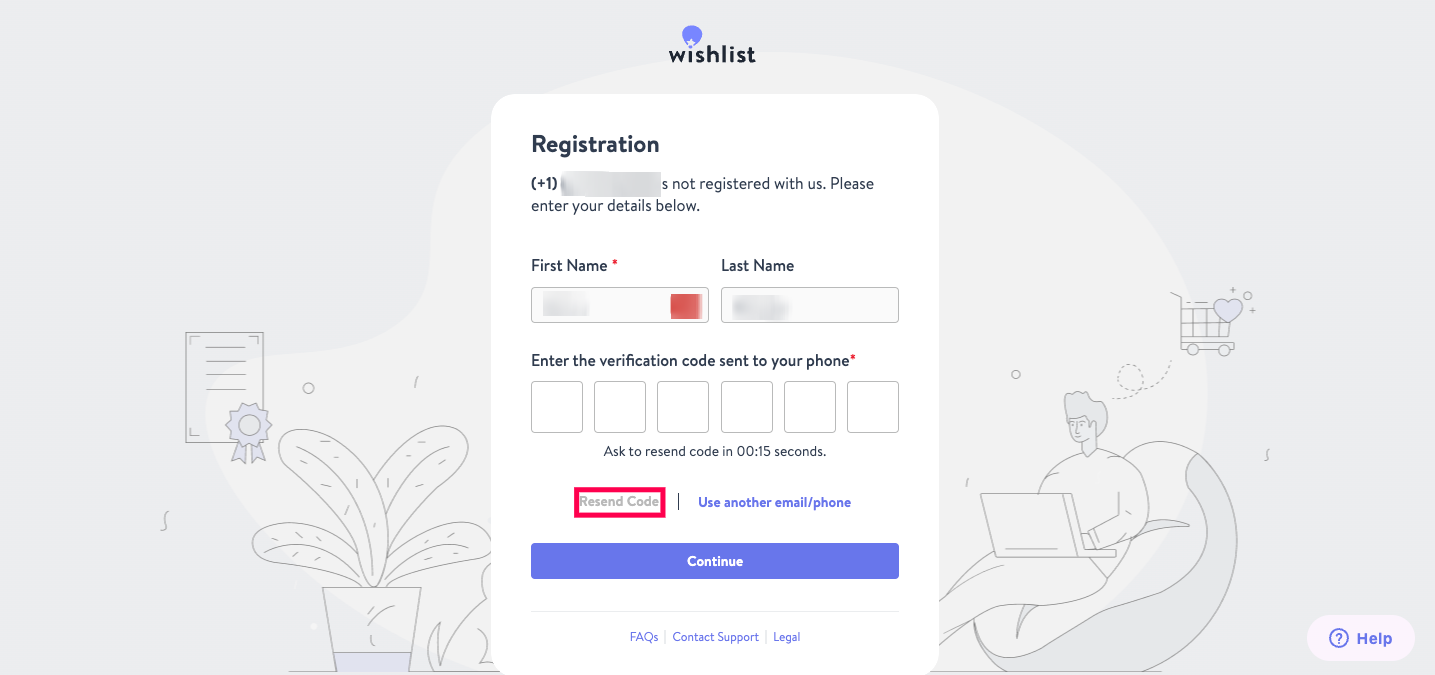
- Enter the code on the login screen within approximately 25 seconds
- If the code expires, click Resend Code to receive a new one
Once the code is entered successfully, you will be logged in to your account.