If you have a reimbursement set up to automatically renew, you are able to make changes if your membership changes. To do so, please follow these steps:
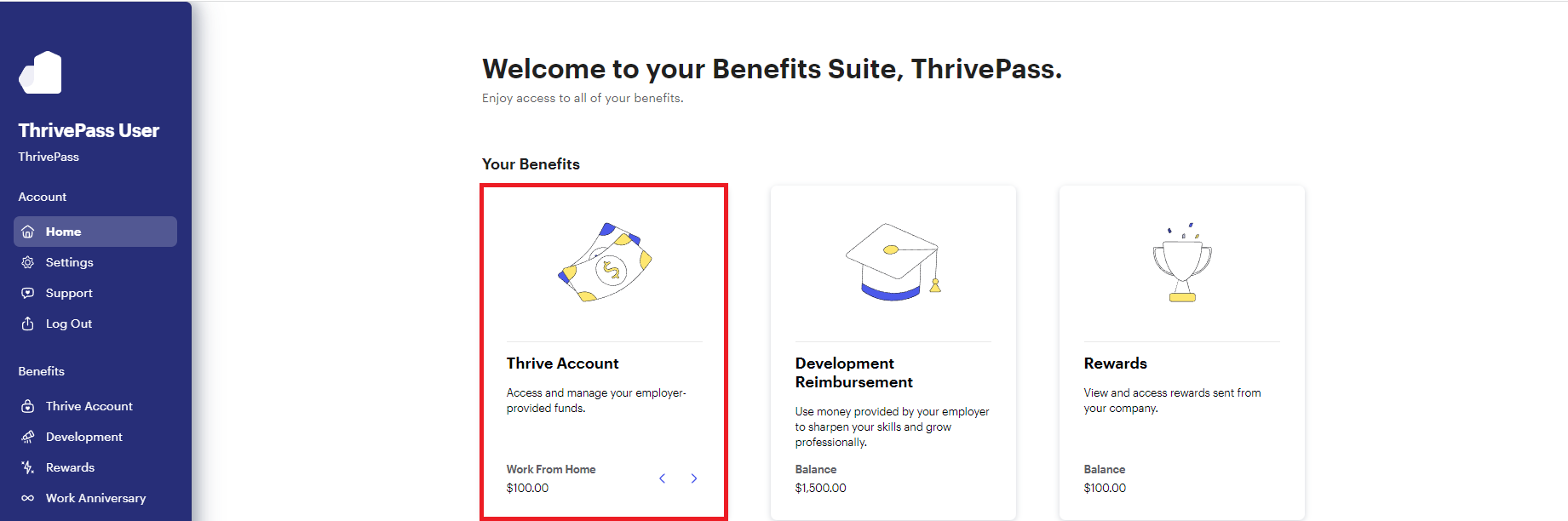
1. Access your Thrive Account
2. Click the "Reimbursements" tab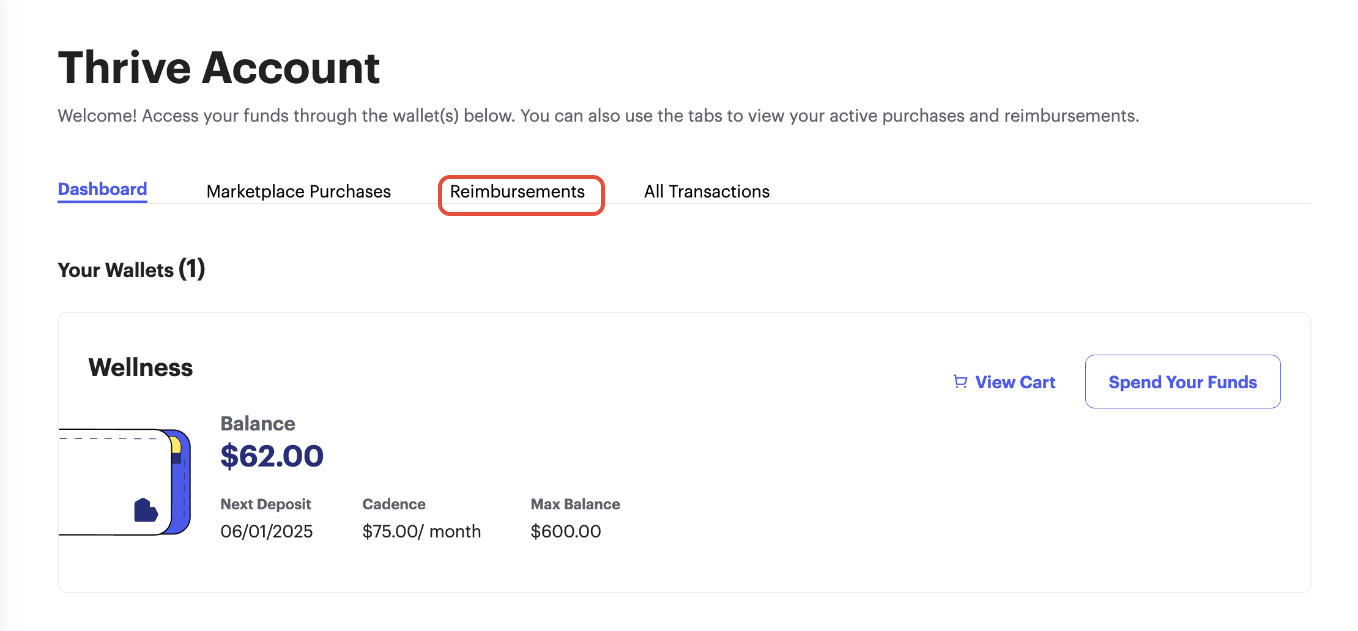
3. Click "Update" on the membership you would like to modify
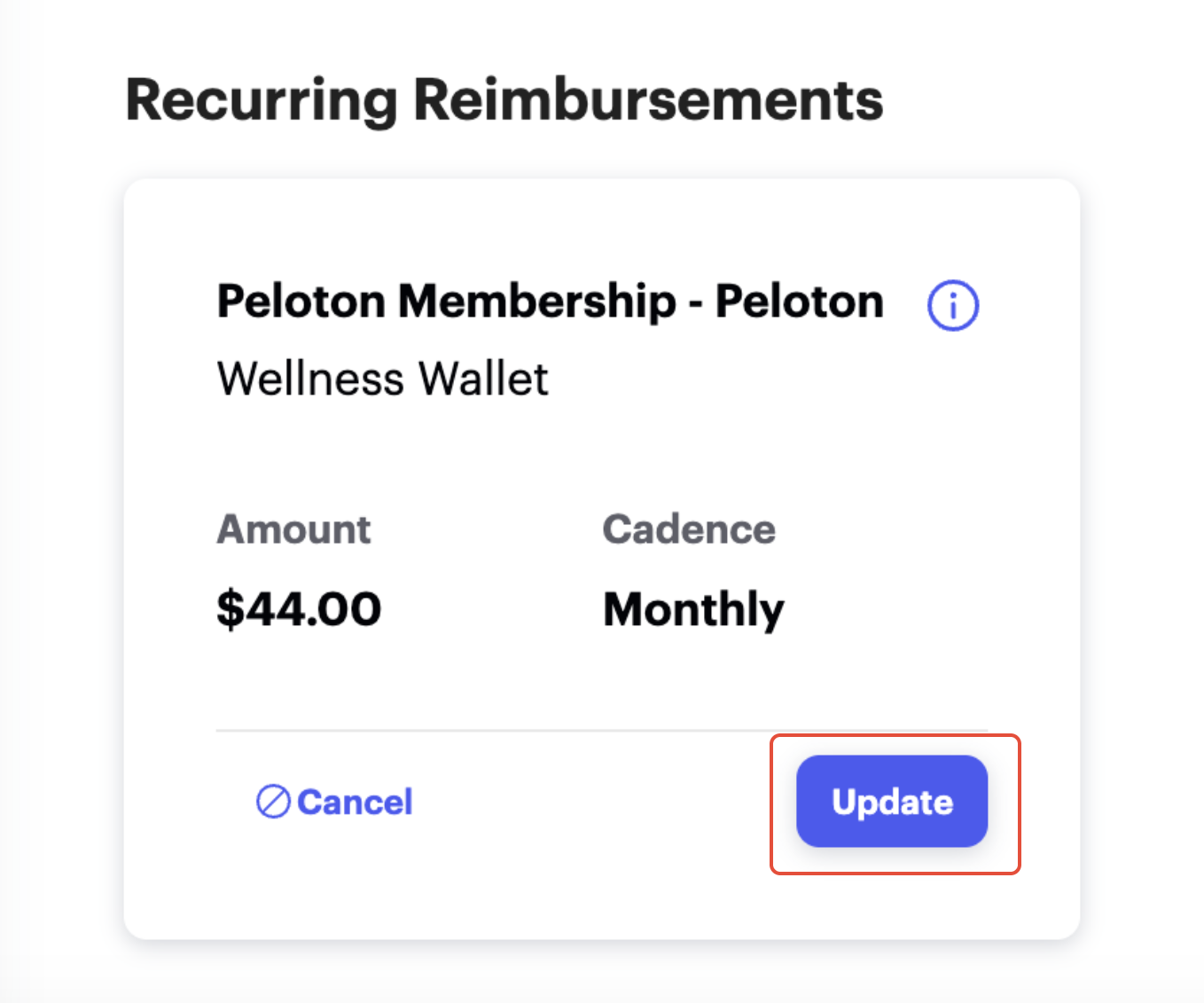
4. On the next screen, you can update the monthly dues, next billing date, and/or reimbursement method. Once your changes are complete, click “Submit.”
A member of our support team will review your update and reach out if any additional information is needed.
Was this article helpful?
That’s Great!
Thank you for your feedback
Sorry! We couldn't be helpful
Thank you for your feedback
Feedback sent
We appreciate your effort and will try to fix the article