At Wishlist, we want to give you as many options as possible when it comes to redeeming your rewards. But sometimes your wallet balance doesn't quite cover that item you really want. That's exactly what the Upgrade feature is for! With this feature, you can just pay the difference yourself using your Debit Card, Credit Card or PayPal. If an upgrade is required for you to complete the booking you will be notified during the redemption process and can opt-out at that time, before payment.
Upgrades are displayed differently depending on which marketplace your company is connected to:
- Wishlist Wallet:
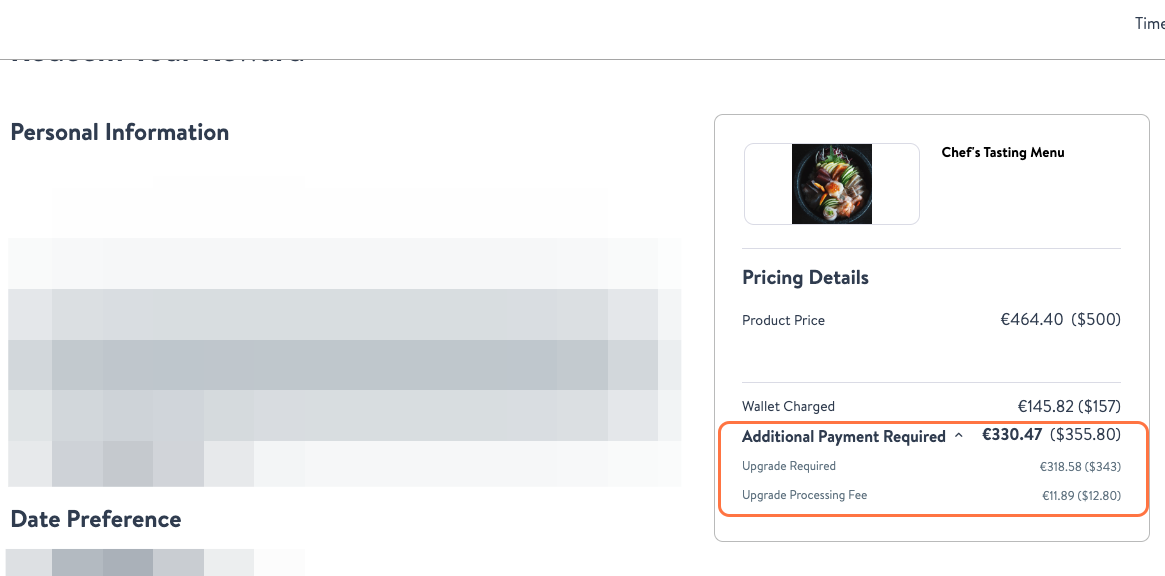 When selecting a reward worth more than your Wallet Balance during the checkout process you will be prompted to pay the difference.
 - Wishlist Legacy:
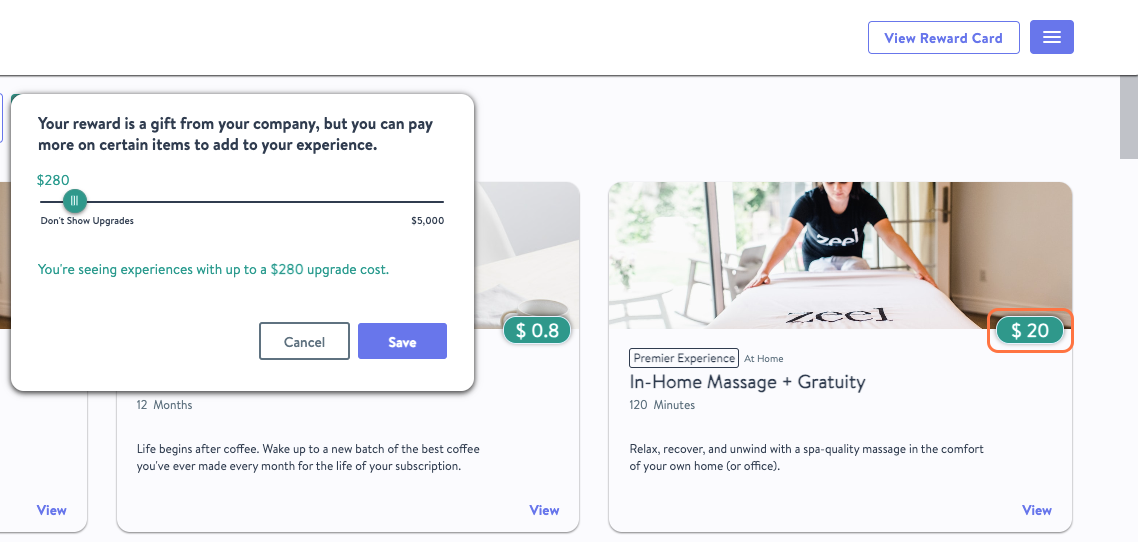 The $ next to some of your options identifies rewards that you can pay the designated amount to be able to select.
Why would I need an upgrade?
You want to redeem your reward for a product that exceeds your reward or wallet budget.
You want to increase the time or number of people allotted for the desired experience.
Does the upgrade amount incur currency conversion charges?
Yes, the upgrade amount may be subject to currency conversion and/or foreign transaction fees. Wishlist Rewards is a US-based company and although "upgrades" are displayed in your selected currency, all transactions will be settled in USD. This means "upgrades" will appear on your bank statement in USD. Depending on your bank or payment provider's policies, currency conversion fees or foreign transaction fees may apply. We recommend contacting your bank regarding foreign transaction fees.
How does cancellations work with an Upgrade amount?
If for any reason your experience or the item you ordered is canceled or returned, any amount deducted from your wallet will be credited back to your wallet. However, the Upgrade amount will not be returned to your wallet. Instead, it will be refunded to your original payment method, such as your bank account or PayPal account.