Resend a Reward
If a reward was not sent because of an incorrect email, you as the program admin will receive an email letting you know to log in, update the email, and resend the reward. Just so you know, a reward can also be marked as undeliverable if the recipient has Unsubscribed or Blocked our emails. If you need additional instructions regarding updating employee information you can check out this article.
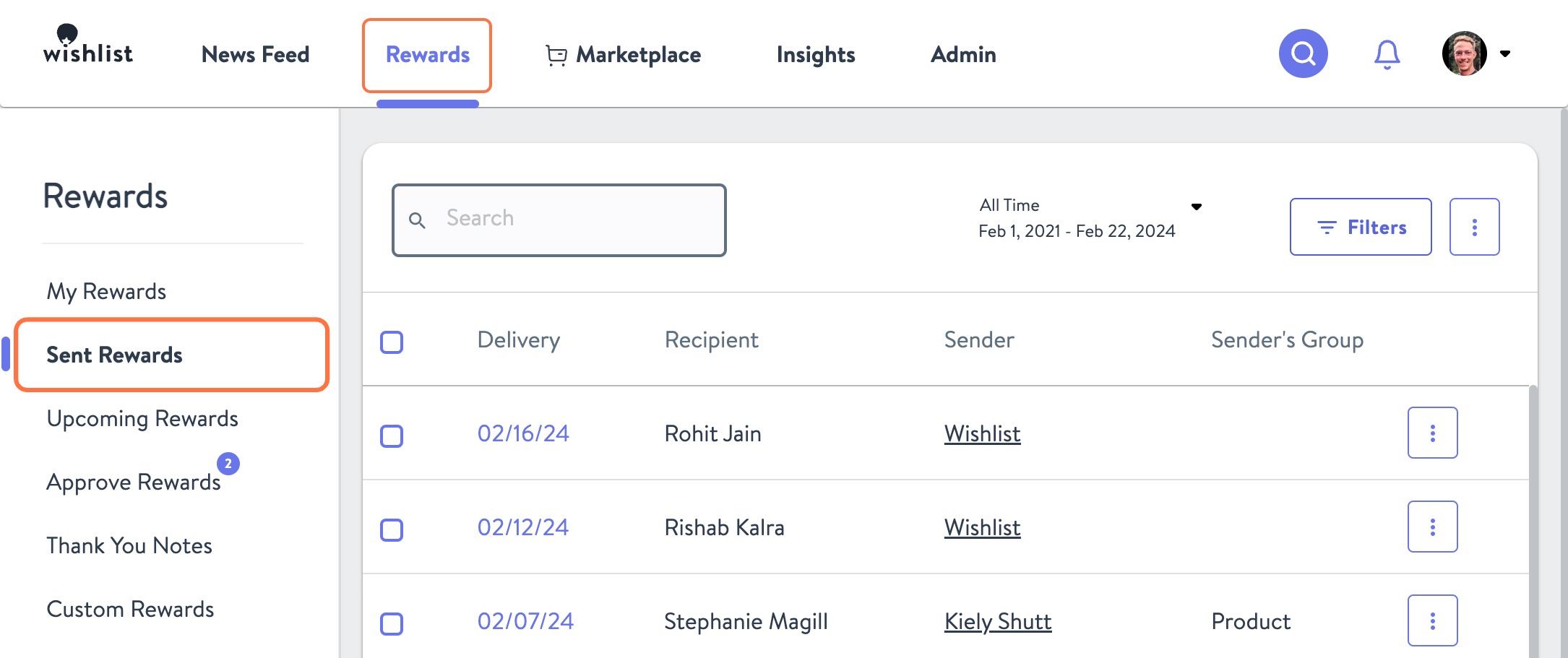
- From the Rewards tab navigate to Sent Rewards
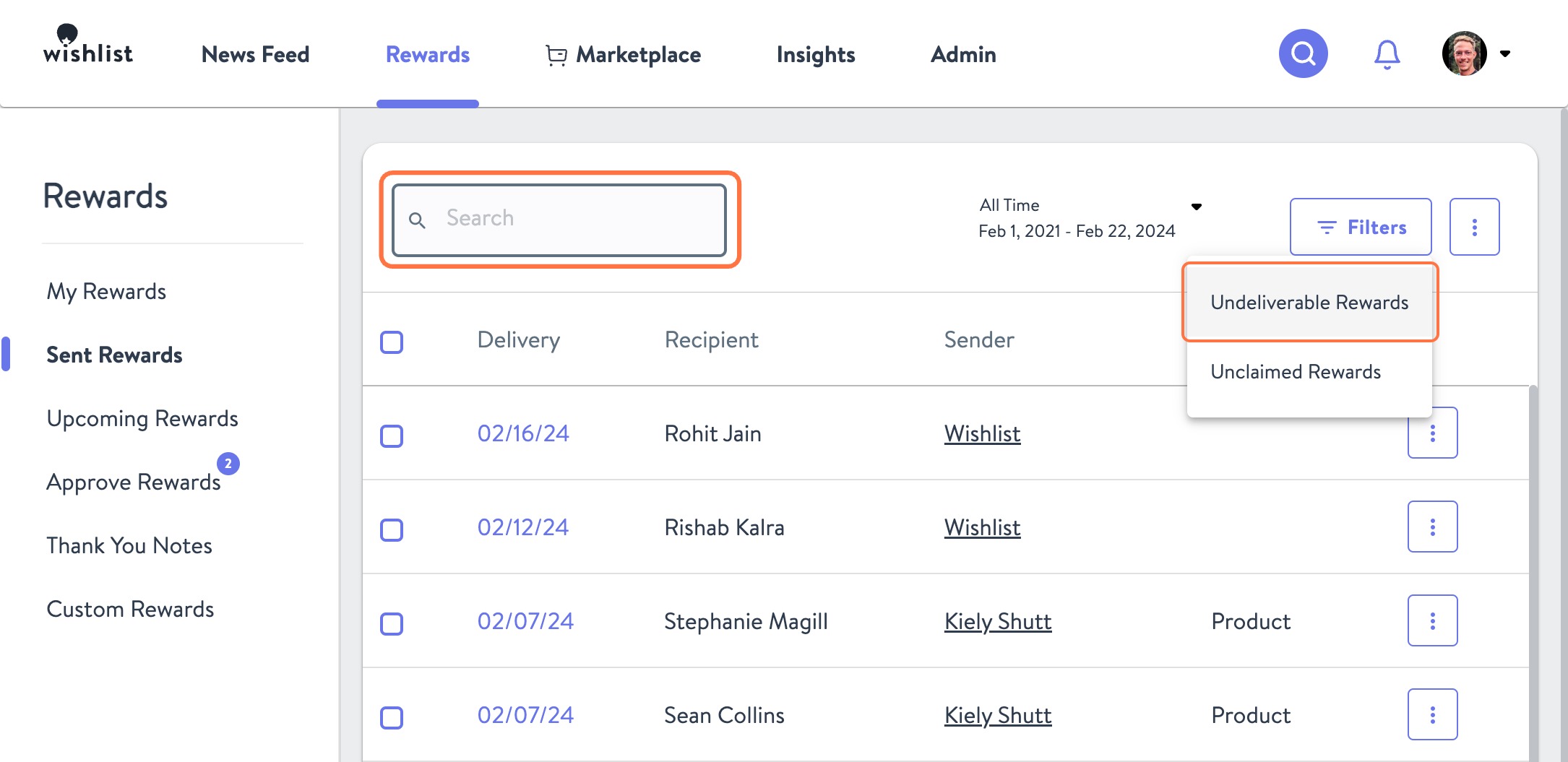
- From here you can find the reward that needs to be resent by using Search and entering the recipient name or the Filters function and selecting Undeliverable Rewards
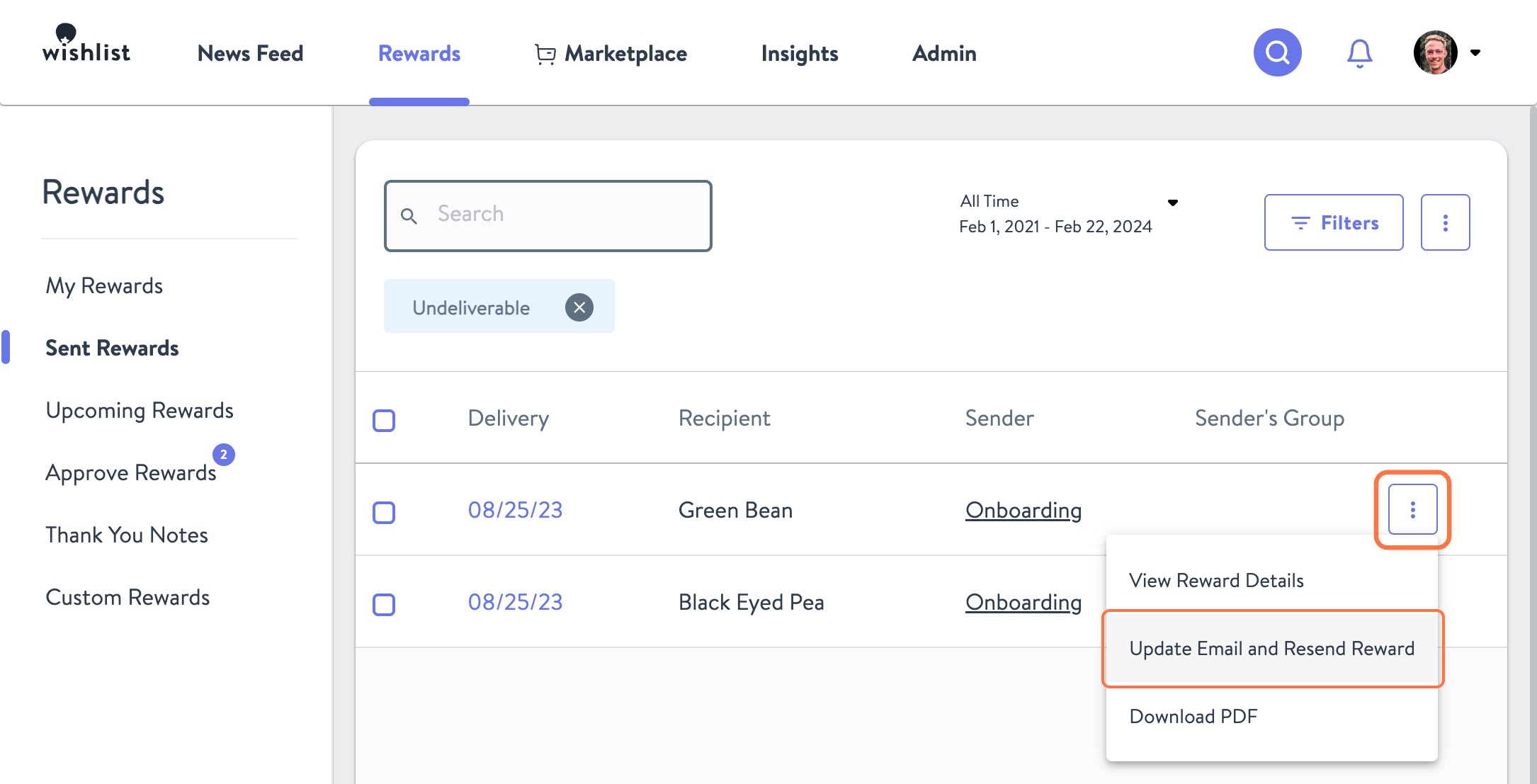
- Once you find the one you're looking for click the Kebab Menu and choose Update Email and Resend Reward
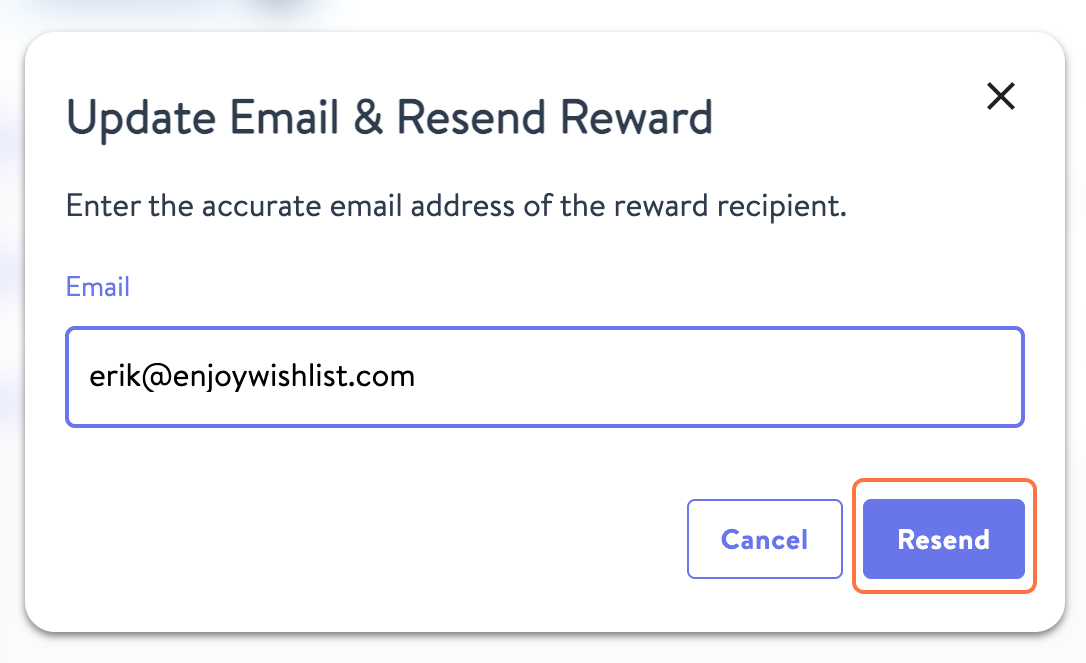
- Once you have entered in the corrected or updated email address click Resend
Have a question? Contact support@enjoywishlist.com.