Using the / feature in Slack
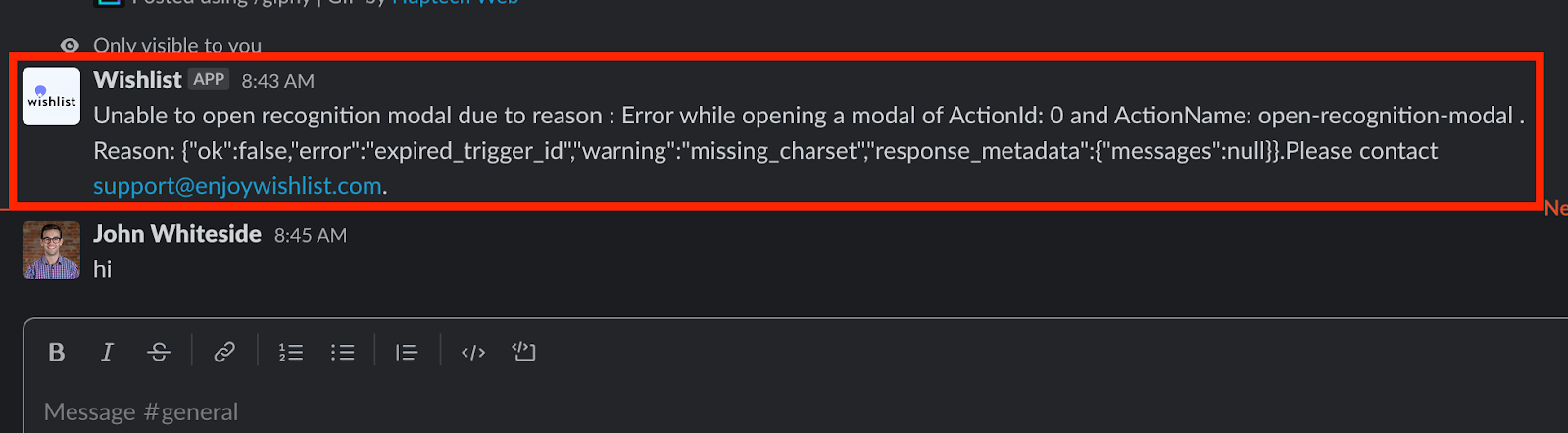
If you’re receiving an “unable to open recognition modal” error message when using the /recognize command in Slack, please follow the following steps below:
Step 1: Approve the Wishlist Slack app in your Slack App Directory
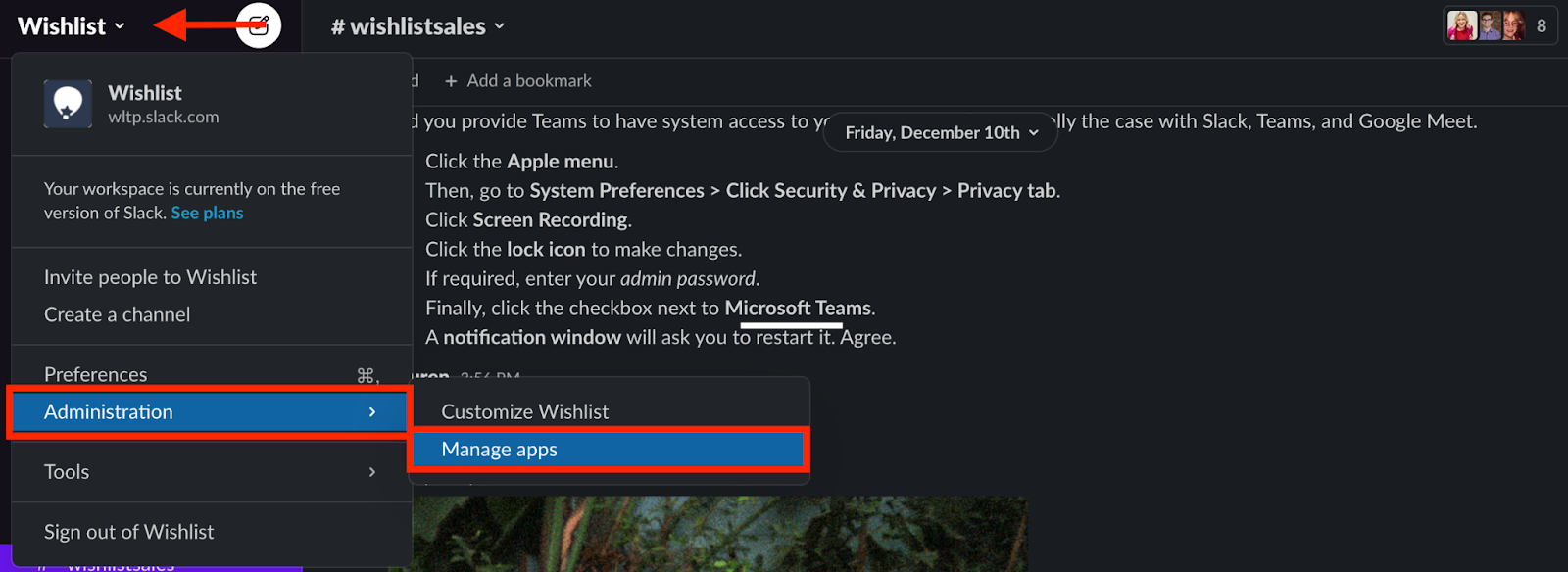
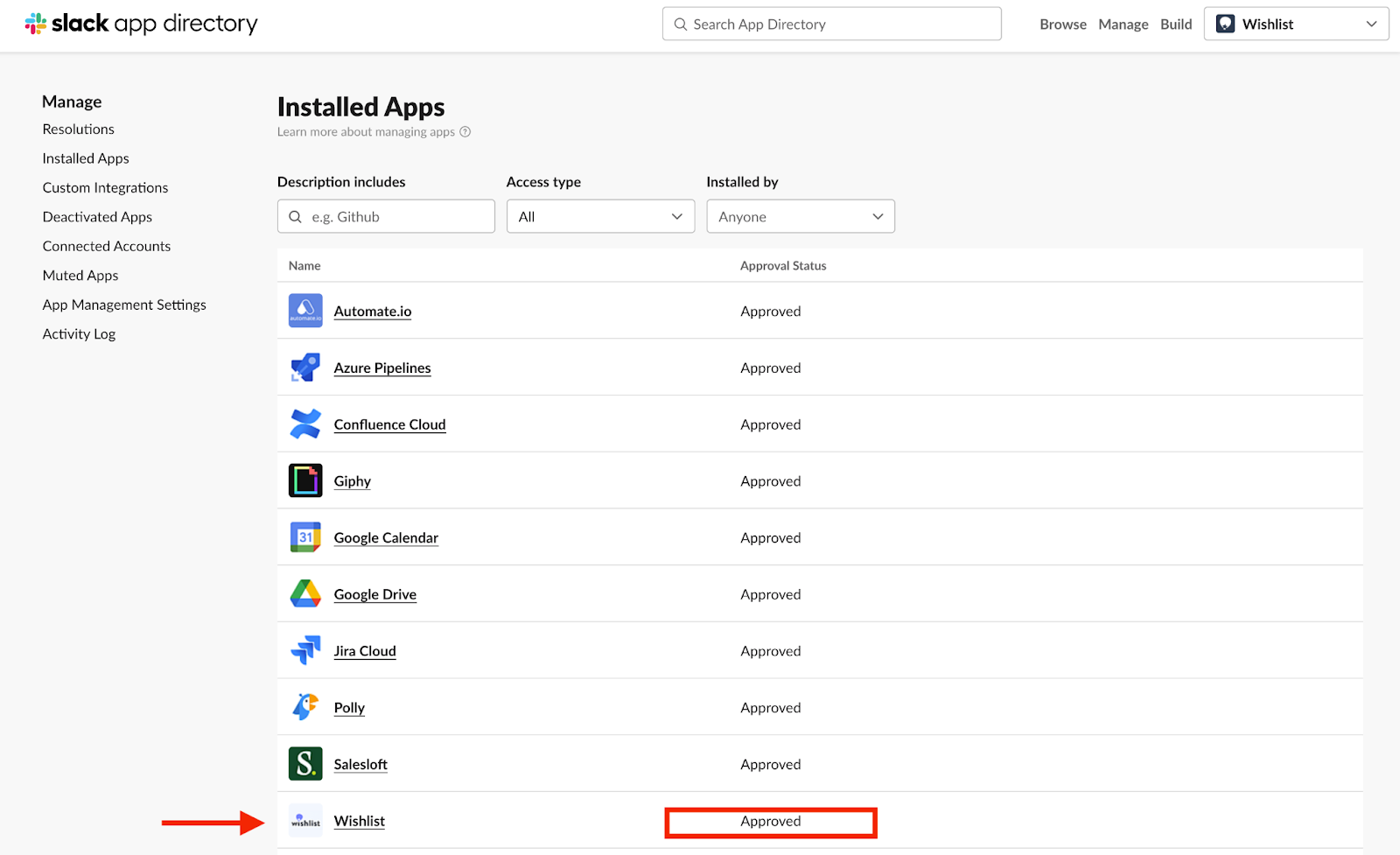
Step 2: Invite the Wishlist Slack bot to the channel with the /invite @wishlist command

Step 3: Refresh/restart Slack for updates
Related Articles
Was this article helpful?
That’s Great!
Thank you for your feedback
Sorry! We couldn't be helpful
Thank you for your feedback
Feedback sent
We appreciate your effort and will try to fix the article