Getting Started: Registration and Login
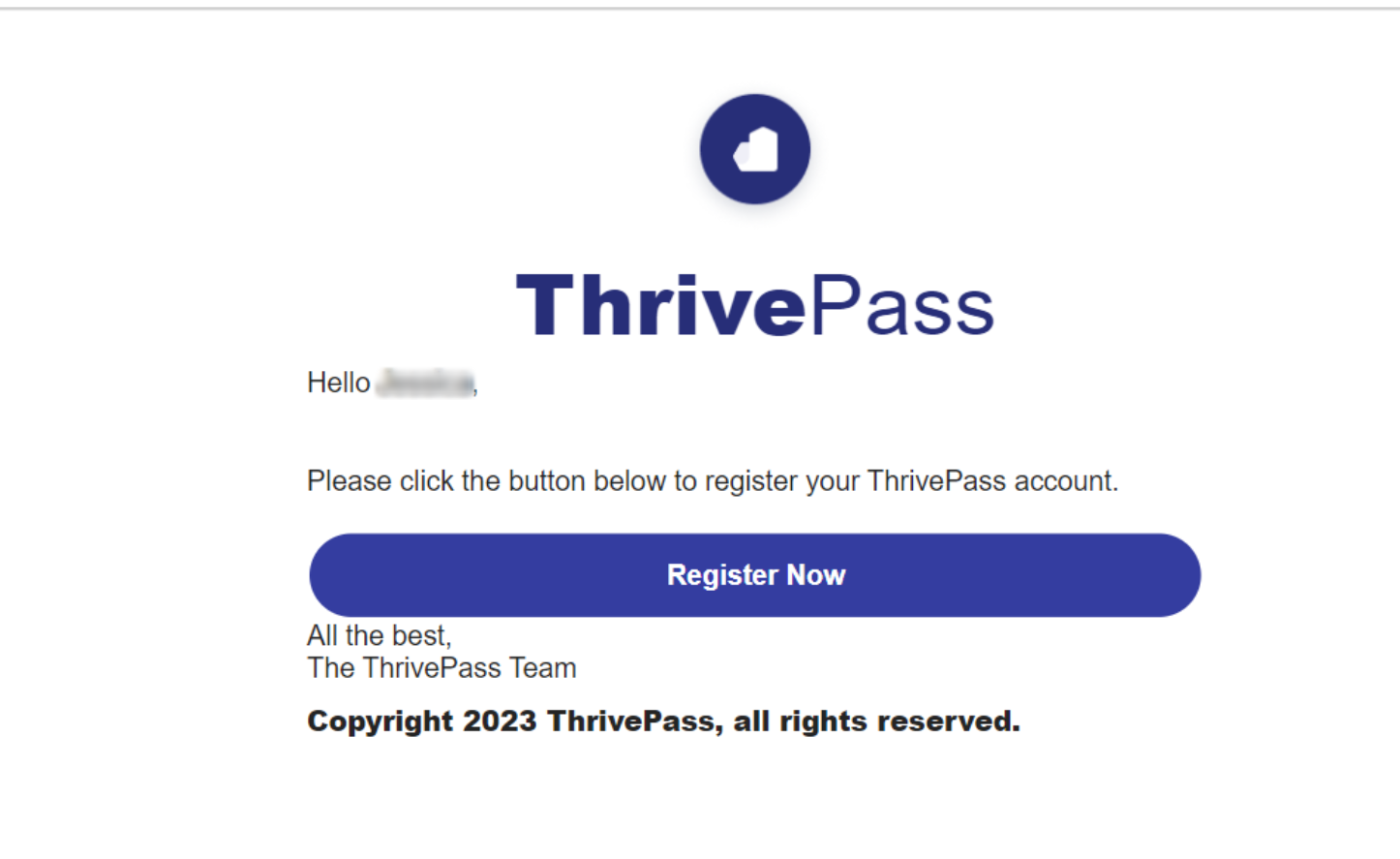
Getting started with your account is simple. Once your benefits are ready, you will receive a welcome email from donotreply@thrivepass.com. This email will be sent to your company email address or the email you used when setting up your account.
Within the email, you will find a personalized registration link. This link is unique to you and should not be shared with others. It will guide you through the process of setting up your account securely.
Step-by-step registration instructions are provided below, along with a reference guide to help ensure a smooth experience during setup.
Please note that if your company uses Single Sign-On (SSO), your registration experience will differ from the standard process. In this case, you should follow the instructions outlined in “How to Register and Log In Using Single Sign-On (SSO)” instead of the steps below.
Your welcome email will clearly indicate whether you should register using an email and password or access your account through SSO.
1. Locate your email from ThrivePass. This comes from donotreply@thrivepass.com.
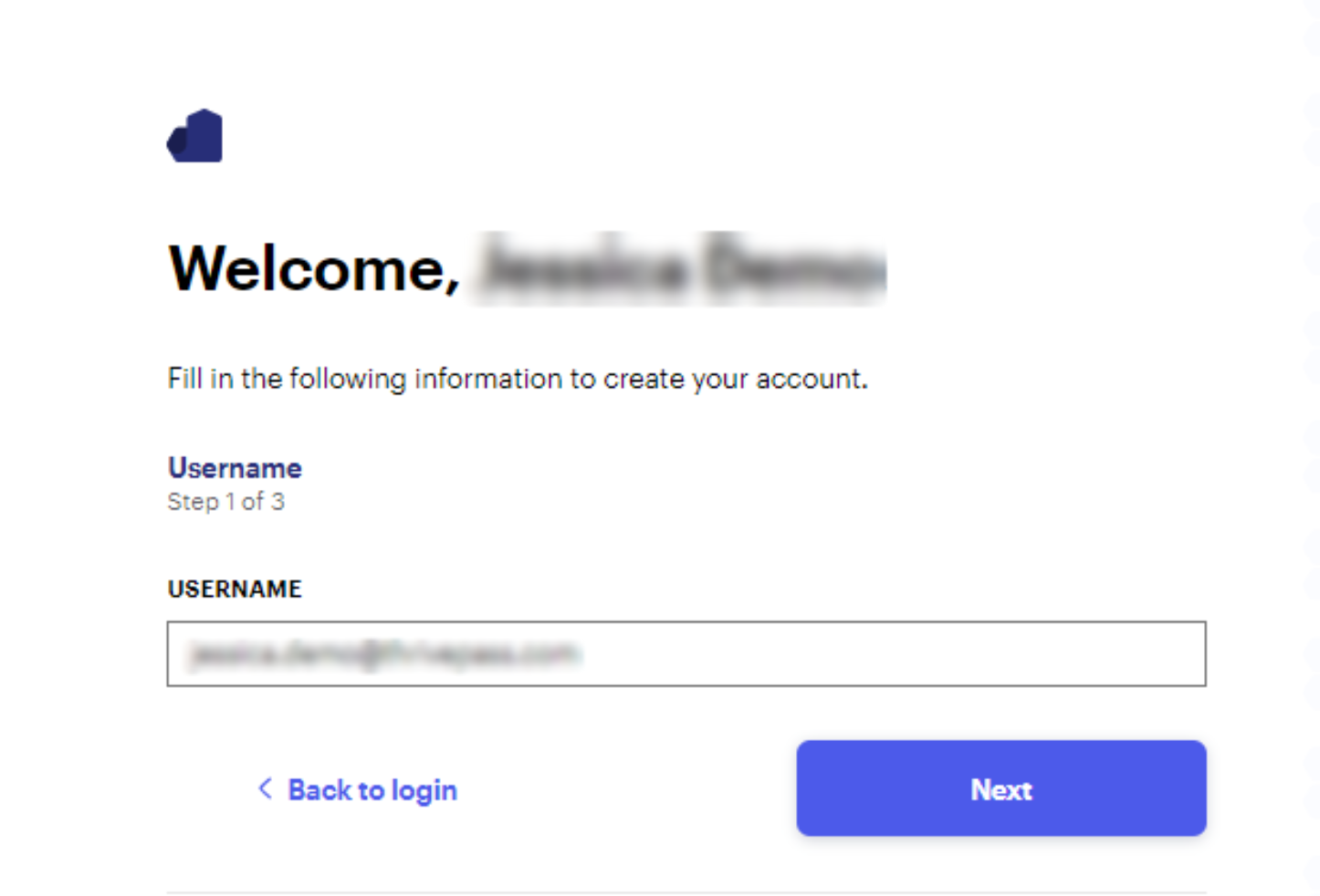
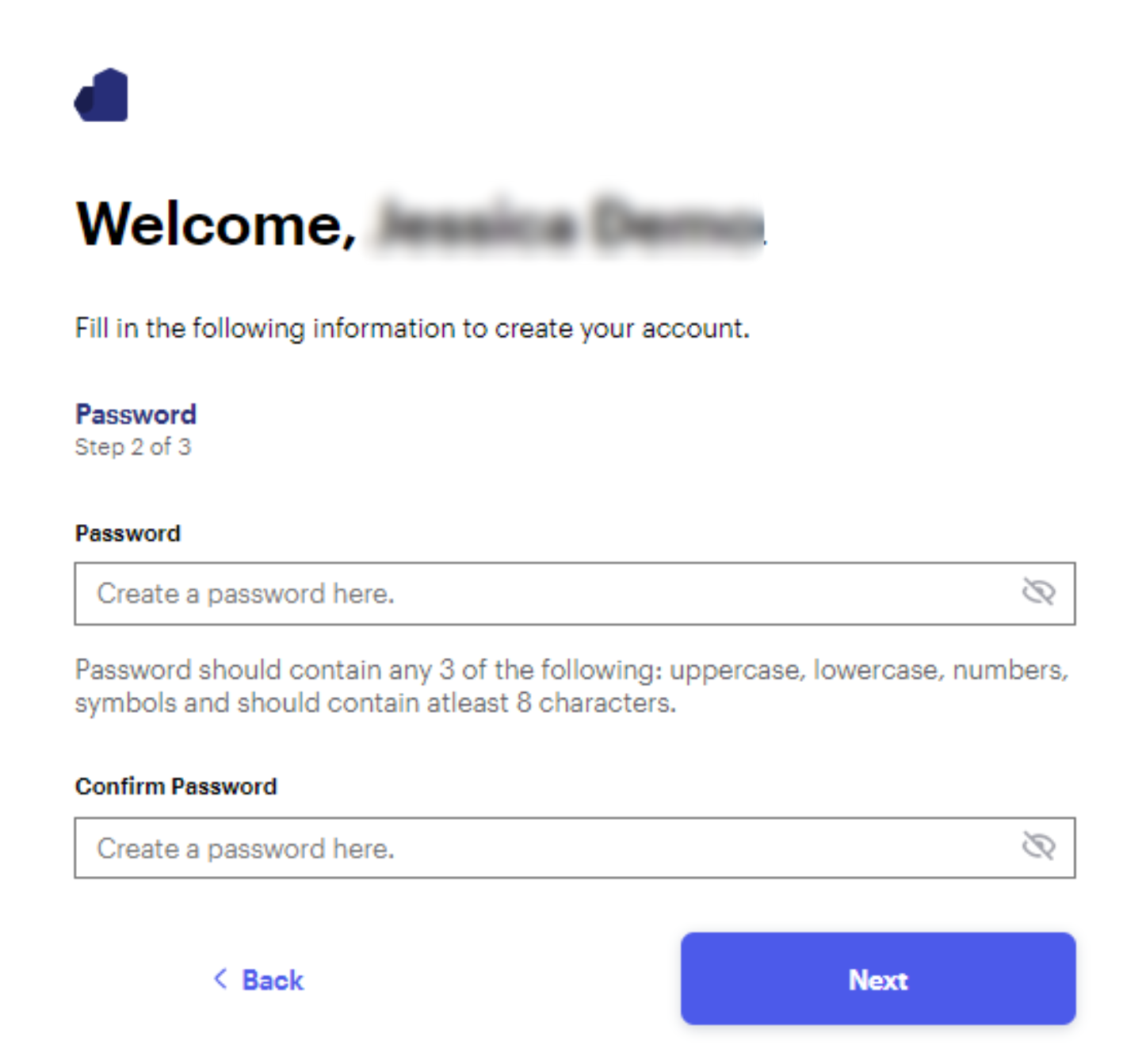
2. Confirm your username and create a password and create your account.
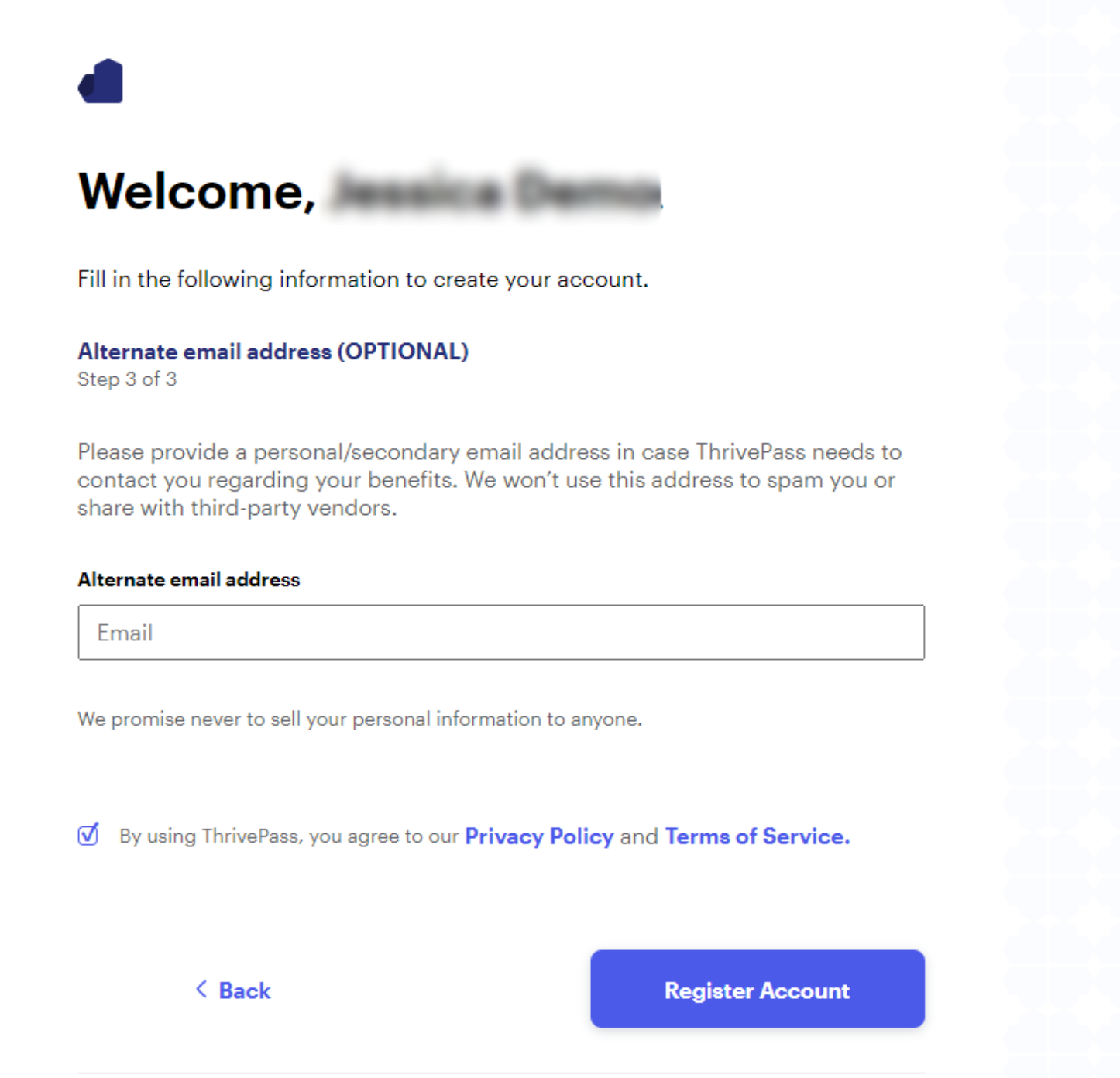
3. Enter in your alternate email address (OPTIONAL) and check the box to agree to our Privacy Policy and Terms of Service. Click Register Account.
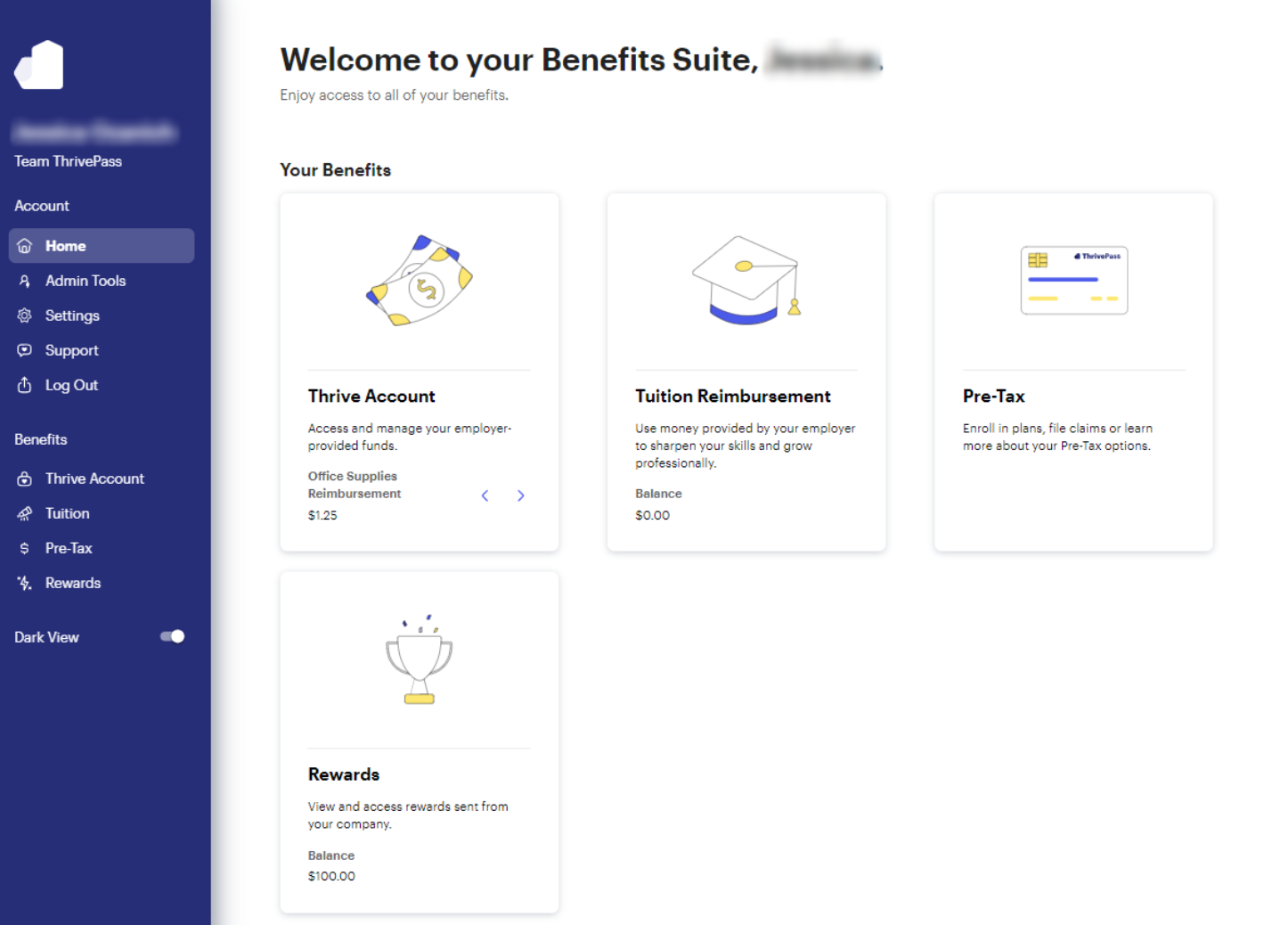
3. Access your benefits through ThrivePass.
Our website is most compatible with Google Chrome, Safari, or FireFox. We recommend using one of these browsers to access your ThrivePass account.
Having trouble finding your registration email? Click here.
Was this article helpful?
That’s Great!
Thank you for your feedback
Sorry! We couldn't be helpful
Thank you for your feedback
Feedback sent
We appreciate your effort and will try to fix the article