Automated birthday and anniversary postings on the News Feed and other external applications can be turned off in your Wishlist portal, if you don't wish for your birthday to be announced company-wide. Please note that turning off posting announcements will not affect the reward, just who can see announcement.
User Settings
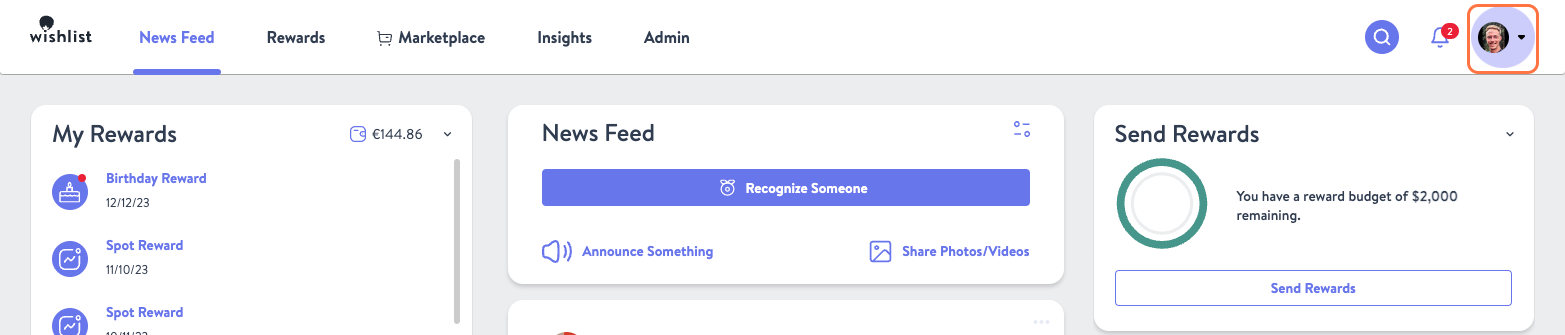
- In your Wishlist portal, click your Profile Icon in the top right and select My Settings from the dropdown menu

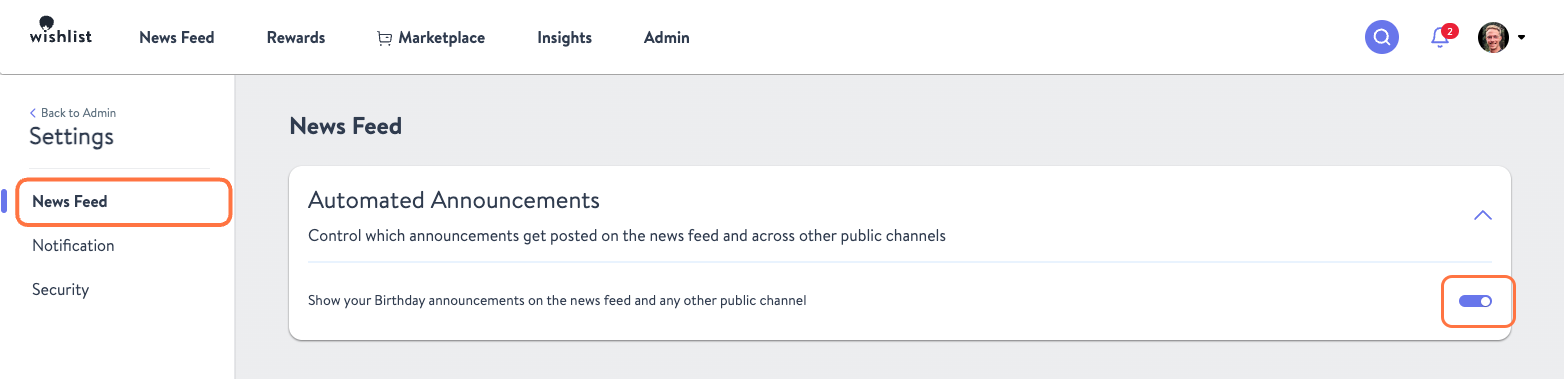
- Now click News Feed on the left hand side. Once loaded, you will be able to toggle Birthday Announcements on or off. Please note that hiding anniversary announcements is not available at the user level.
Program Admin Settings
As a Program Admin you have the ability to turn off both birthday and anniversary announcements company wide. This will not cancel the rewards, just the public post about them.
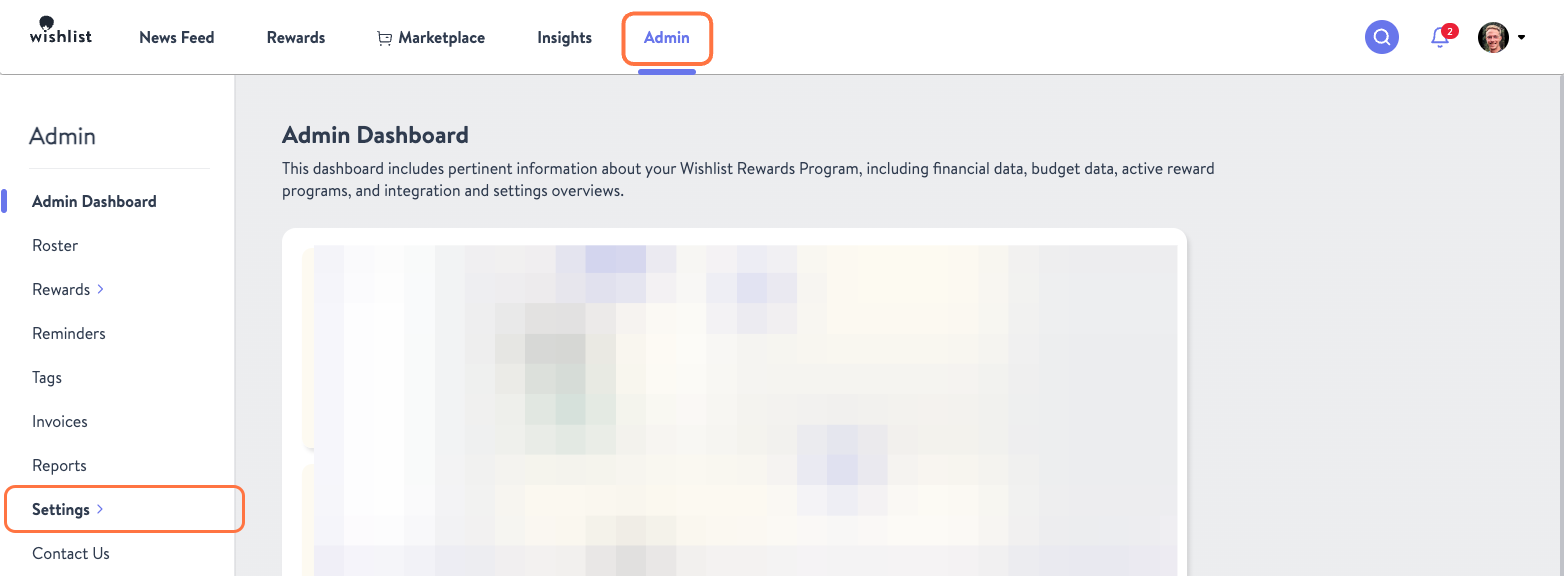
- From the Admin tab in click on Settings
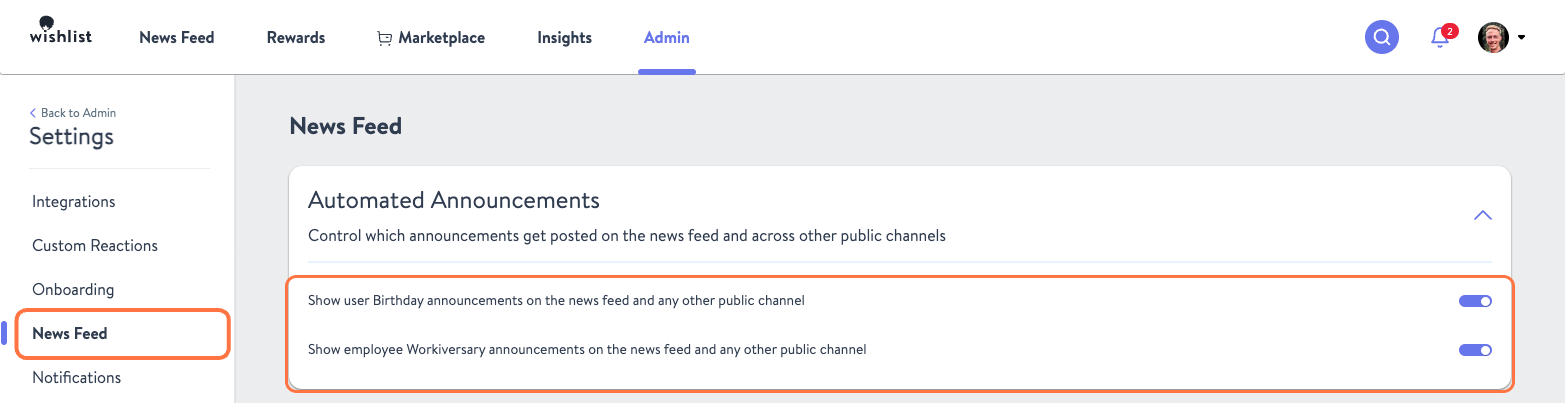
- From there click News Feed and once that page loads, you can toggle both Birthday and Workiversary announcements on or off.
Was this article helpful?
That’s Great!
Thank you for your feedback
Sorry! We couldn't be helpful
Thank you for your feedback
Feedback sent
We appreciate your effort and will try to fix the article